I was convinced last year to put up a facebook page for my business, I am not on it personally. I cannot find a single instance of it making a sale, or even a contact for us.
I find it difficult to think of stuff to say, so a lot may be due to content. But here is the question to other business folks out there, have you ever made a sale/reservation from a facebook contact? for the non-business folks out there have you ever bought anything based on a facebook page?
Facebook for a business..thoughts?
Mon Jan 27, 2014 10:16 am
- Headoutdaplane offline

- Posts: 526
- Joined: Thu May 29, 2008 5:21 pm
- Location: Homer, AK
The winner is the person with the most stories when he dies, not the most gold.
www.belugaair.com
www.belugaair.com
Mon Jan 27, 2014 10:36 am
Re: Facebook for a business..thoughts?
All the time, I have experience from a brand perspective, retail and non-profit perspective. It takes content and someone to be working it at least a few times a week. Also having links on your mailing list/etc.
K2 Aviation, Talkeetna Air Taxi and Above Alaska all have good examples of FB pages and in your realm of business. Take a look at their pages and see what they do.
It also takes getting a lot of 'likes' followers. So asking your existing clients and those on your mailing list is key.
It takes work like all marketing and the tangible aspects are hard to quantify, as are all marketing options.
K2 Aviation, Talkeetna Air Taxi and Above Alaska all have good examples of FB pages and in your realm of business. Take a look at their pages and see what they do.
It also takes getting a lot of 'likes' followers. So asking your existing clients and those on your mailing list is key.
It takes work like all marketing and the tangible aspects are hard to quantify, as are all marketing options.
- 29singlespeed offline
- Posts: 508
- Joined: Mon Feb 21, 2011 7:10 pm
- Location: Gunnison
Mon Jan 27, 2014 10:48 am
Re: Facebook for a business..thoughts?
I follow a few businesses on facebook but I have yet to buy anything from them. One business I have called several times because of something they posted their page and I was interested it in. This business is a snowmobile repair/service shop and when they do an install of something new they post pics of their work and often a video of the sled out on a ride.
What I would want to see on your facebook page is pics of loading giant moose antlers in the plane, a cool takeoff from a narrow river, a cooler full of huge salmon; that kind of stuff. I still don't know if it will bring you customers but what it might do is help get repeat customers. They go home and "like" your facebook page and then when the next time comes that they need a ride they will think of you first and won't have to try to remember "the name of that pilot the green plane we hired last time."
What I would want to see on your facebook page is pics of loading giant moose antlers in the plane, a cool takeoff from a narrow river, a cooler full of huge salmon; that kind of stuff. I still don't know if it will bring you customers but what it might do is help get repeat customers. They go home and "like" your facebook page and then when the next time comes that they need a ride they will think of you first and won't have to try to remember "the name of that pilot the green plane we hired last time."

Mon Jan 27, 2014 10:51 am
Re: Facebook for a business..thoughts?
My thought is that a FB presence is critical to the success of practically any business these days, due simply to the sheer volume of traffic. Facebook seems bigger than everything but Google these days.
- Scolopax offline


- Posts: 1696
- Joined: Tue Sep 27, 2005 5:02 pm
- Location: Nottingham
- FindMeSpot URL: http://share.findmespot.com/shared/face ... 4aYqSexnZC
Mon Jan 27, 2014 11:20 am
Re: Facebook for a business..thoughts?
It's not realistic to think sales come directly from a Facebook page. I find that the folks that like my business page are mostly people I've already converted into customers through other means. They like the page because they desire to keep up with developments in the business and want a more transparent and personal relationship with my wife and I as the owners. My business is a bonded, commercial winery so maybe the situation is different. It's one of the few types of businesses where everybody is happy all the time.  .
.
I sure feel your pain. Keep in mind the facebook page is just one of several complementary pieces of an effective marketing and promotional program for a business. If Facebook isn't your cup of tea then replace it with something that accomplishes the same goal in your marketing plan.
.I sure feel your pain. Keep in mind the facebook page is just one of several complementary pieces of an effective marketing and promotional program for a business. If Facebook isn't your cup of tea then replace it with something that accomplishes the same goal in your marketing plan.

Mon Jan 27, 2014 11:34 am
Re: Facebook for a business..thoughts?
Facebook is good exposure for retail, not sure about service businesses. You probably know about tripadvisor already but that one is very active and really works especially for cruise related extras and those who have road access.
Mon Jan 27, 2014 11:48 am
Re: Facebook for a business..thoughts?
I think it's worth it for almost any business these days. Look at it primarily as a great way to keep your current (most enthusiastic) customers updated on what's going on, and secondarily as a way for new customers to find you. I wouldn't expect to be able to trace sales to your Facebook page directly.
I tend to think that the best marketing tool for a small business is to keep your existing customers happy and in-the-loop. Then, they'll help find new customers for you. Facebook can help facilitate both ends of that process.
I tend to think that the best marketing tool for a small business is to keep your existing customers happy and in-the-loop. Then, they'll help find new customers for you. Facebook can help facilitate both ends of that process.

Mon Jan 27, 2014 11:54 am
Re: Facebook for a business..thoughts?
Facebook is a requisite tactic of modern marketing, and it can definitely help you if you're willing to invest the time. While some e-retailers may have a more straightforward sales conversion that can be easily reconciled with a Facebook post, you offer services, and niche ones at that. It's not always going to be obvious how to leverage social media to convert attention into sales, but definitely won't happen if you don't try.
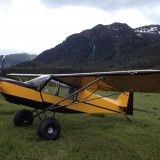
Despite you being a BCP member, the Internet community I most identify with, I can't recall the name of your business as I type this post other than you having a green Beaver. I can immediately think of K2 or Rust's though when I think about Alaska light charter. Maybe because of their iconic red planes, but one reason is that I subscribe to K2's Facebook page and they are constantly posting cool shots of landing on glaciers. It's hard to not associate glacier sightseeing flights with them.
Facebook is a fickle place. People curate the pages they like because, like coondawg said, they are in part after some accessibility to brands and owners. I maintain the BackcountryPilot Facebook page because I like to entertain people, and I post a lot of the articles we generate here on Facebook too. While it's sort of an extension to the community, it's also about attracting new blood and generating traffic-- traffic that can click ads. If I wanted to convert those likes into direct sales of a product or service instead of just traffic, I'd be curious how it would go. I will certainly try it with merchandise this spring.
Nothing happens overnight, or even in the space of a year. The 1,500 likes BCP has on Facebook have taken a few years, but it grows exponentially and you have to generate momentum. Users can see your posts (which should be a mix of entertainment, periodic background information about your business, and promotions) are your best salespeople because they'll "share" your posts if they enjoy them and want their friends to enjoy them too.
Make sure you're running Google analytics so you can analyze your referring traffic to your website.
And finally, you are among friends. I don't have nearly the traffic some other brands do but link us to your damned Facebook page so we can help promote. Every user gets the same deal here: One thread announcing your business that you can update.
Despite you being a BCP member, the Internet community I most identify with, I can't recall the name of your business as I type this post other than you having a green Beaver. I can immediately think of K2 or Rust's though when I think about Alaska light charter. Maybe because of their iconic red planes, but one reason is that I subscribe to K2's Facebook page and they are constantly posting cool shots of landing on glaciers. It's hard to not associate glacier sightseeing flights with them.
Facebook is a fickle place. People curate the pages they like because, like coondawg said, they are in part after some accessibility to brands and owners. I maintain the BackcountryPilot Facebook page because I like to entertain people, and I post a lot of the articles we generate here on Facebook too. While it's sort of an extension to the community, it's also about attracting new blood and generating traffic-- traffic that can click ads. If I wanted to convert those likes into direct sales of a product or service instead of just traffic, I'd be curious how it would go. I will certainly try it with merchandise this spring.
Nothing happens overnight, or even in the space of a year. The 1,500 likes BCP has on Facebook have taken a few years, but it grows exponentially and you have to generate momentum. Users can see your posts (which should be a mix of entertainment, periodic background information about your business, and promotions) are your best salespeople because they'll "share" your posts if they enjoy them and want their friends to enjoy them too.
Make sure you're running Google analytics so you can analyze your referring traffic to your website.
And finally, you are among friends. I don't have nearly the traffic some other brands do but link us to your damned Facebook page so we can help promote. Every user gets the same deal here: One thread announcing your business that you can update.
- Zzz offline


- Posts: 2857
- Joined: Fri Oct 08, 2004 11:09 pm
- Location: northern
- Aircraft: Swiveling desk chair
Half a century spent proving “it is better to be thought a fool than to open your mouth and remove all doubt.”
Mon Jan 27, 2014 1:01 pm
Re: Facebook for a business..thoughts?
Before you decide to hook into Facebook, Read this:
http://www.businessinsider.com/this-is- ... ity-2012-9
Your customers will forever be tracked by Facebook..
Pete
http://www.businessinsider.com/this-is- ... ity-2012-9
Your customers will forever be tracked by Facebook..
Pete
- pouellette offline

- Posts: 81
- Joined: Sat Jan 29, 2011 1:42 pm
- Location: WMA
- Aircraft: RANS S7S
CHEROKEE 140
Mon Jan 27, 2014 1:19 pm
Re: Facebook for a business..thoughts?
Facebook is a waste. Unless you have the money to pay someone fulltime or the time yourself (instead of operating your business!) to administrate the page, it is pretty much a waste.
I have an Internet marketing company who administers my business' website. They have also done a page on Facebook for us too. I've never seen it. I don't know of anyone who ever has. The only reason we have it is it is part of their package.
A decent web page and more importantly a mobile web page are a far better roi. This has been my experience with a retail service oriented business.
I have an Internet marketing company who administers my business' website. They have also done a page on Facebook for us too. I've never seen it. I don't know of anyone who ever has. The only reason we have it is it is part of their package.
A decent web page and more importantly a mobile web page are a far better roi. This has been my experience with a retail service oriented business.

Av8r3400
The Mangy Fox
Kitfox Classic IV-1200
912UL Zipper
I'd rather die trying to live,
Than live trying not to die.
-Leonard Perry
The Mangy Fox
Kitfox Classic IV-1200
912UL Zipper
I'd rather die trying to live,
Than live trying not to die.
-Leonard Perry
Mon Jan 27, 2014 3:26 pm
Re: Facebook for a business..thoughts?
I'm not in business, so take this for what it's worth.....but:
What is the demographic of your average customer?
What is the demographic of the average Facebook user? In other words, do those two match up?
How many 60 plus types you know are very active on Facebook?
Something to consider,
MTV
What is the demographic of your average customer?
What is the demographic of the average Facebook user? In other words, do those two match up?
How many 60 plus types you know are very active on Facebook?
Something to consider,
MTV


Mon Jan 27, 2014 3:51 pm
Re: Facebook for a business..thoughts?
I just went to your website (which I got from your signature) and then clicked through to your FB page. I think you're already doing a great job of populating your FB page with good material. In fact, I would argue that you're use of FB is a perfect way to augment your website. The ability to quickly toss some good pics or vignettes up is exactly what it's all about. For the average guy it's so much easier than making tweaks to your website, and it allows your customers to interact with you. Take a look at this guy for comparison https://www.facebook.com/pages/Curriers-Flying-Service-Inc/352990430990. Roger does a great job of using his FB site and I'd wager that he's gunning for exactly the same customers that you're after (obviously in a different locale). There's no doubt that he keeps customers through their connection to him on FB. It's a lot about crafting your identity. And, I would add that I think it's even more powerful if you're in a service business rather than a retail business.
What's the old saying about advertising? "I know that I'm wasting 50% of my advertising budget, I just don't know which 50% it is." As we get better at tracking advertising return, I think it's harder to do things like FB where it's more difficult to track your ROI, but there's no doubt in my mind that it works.
I would also say that there are a lot of older folks that are using FB more and more. I know many grandparents that get into it to see what's happening in their children/grandchildren's lives, and then it opens up new worlds.
What's the old saying about advertising? "I know that I'm wasting 50% of my advertising budget, I just don't know which 50% it is." As we get better at tracking advertising return, I think it's harder to do things like FB where it's more difficult to track your ROI, but there's no doubt in my mind that it works.
I would also say that there are a lot of older folks that are using FB more and more. I know many grandparents that get into it to see what's happening in their children/grandchildren's lives, and then it opens up new worlds.
Mon Jan 27, 2014 4:00 pm
Re: Facebook for a business..thoughts?
Headoutdaplane,
My bonafides: We spend @$15k per month on Google & Bing pay per clicks and another @$13k per month with a Google owned company that manages our Social Networking. 100% of our marketing is done online. Our transaction growth rate ranges between 50% and 80% per year.
I'd be happy to share my thoughts if you are interested. PM, or right here if others might be interested and you don't mind.
My bonafides: We spend @$15k per month on Google & Bing pay per clicks and another @$13k per month with a Google owned company that manages our Social Networking. 100% of our marketing is done online. Our transaction growth rate ranges between 50% and 80% per year.
I'd be happy to share my thoughts if you are interested. PM, or right here if others might be interested and you don't mind.
- Barnstormer offline
- Posts: 2700
- Joined: Sun Oct 14, 2012 7:42 am
- Location: Alaska
- Aircraft: C185
Mon Jan 27, 2014 4:35 pm
Re: Facebook for a business..thoughts?
Depending on who you are trying to attract as customers you may want to have a LinkedIn business page. For example, is you serve the aviation community you can join the Linkedin AOPA group or EAA group and get messages and info to them. Just a thought.

Mon Jan 27, 2014 5:32 pm
Re: Facebook for a business..thoughts?
Barnstormer wrote:Headoutdaplane,
My bonafides: We spend @$15k per month on Google & Bing pay per clicks and another @$13k per month with a Google owned company that manages our Social Networking. 100% of our marketing is done online. Our transaction growth rate ranges between 50% and 80% per year.
I'd be happy to share my thoughts if you are interested. PM, or right here if others might be interested and you don't mind.
Barnstormer, it sounds like we could all stand to learn something from you. If you're willing, I'd love to hear what you're doing.
Mon Jan 27, 2014 7:02 pm
Re: Facebook for a business..thoughts?
I have been running a Facebook page for Steve's Aircraft for several years now and I know that it has contributed to sales of our STC's..... It is a good tool to quickly showcase your product without having to do major updates to your web page.... I also use it for photo storage and link them to the forums when I post pictures....
Brian
Brian
- Brian-StevesAircraft offline


- Posts: 759
- Joined: Tue Dec 13, 2005 1:13 pm
- Location: Beagle (White City) Oregon
Mon Jan 27, 2014 10:05 pm
Re: Facebook for a business..thoughts?
Facebook, twitter, LinkedIn, Pinterest, YouTube, google, etc., are all forms of marketing, along with all of the social media sites/forums. Even BCP... You cannot rely on just one. All have there advantages.
FB is an extremely valuable tool I promise you. Friends page, fan page, personal page. I have all 3 along with all of the pages I listed above.
In a sense they are all like viruses... You post something to your page for all to see. 10 friend/people "like" it and now it's just expanded to all of there friends. There friends see it and "like" it or even "share" it and you had just spread faster than any word of mouth you could ever have. Marketing is all about recognition. Period. It does not take much other than say 2 minutes a day to post a photo or video. Simple. I truly believe it doesn't matter whether your selling shoes, dirt, mechanics, porn or for me, Heli skiing.
I can tell you with as easy as it is, I would never pay the 10or 15k to have someone do it. Heck, you can pay me $100 and I will do it for ya...kidding of course but seriously it's easy. I could go on and on here about this.
Here are some examples:
https://m.facebook.com/KQuinnPNH?__user=1277632076
http://www.pinterest.com/pointsnorthheli/videos/https://m.facebook.com/KQuinnPNH?__user=1277632076
https://m.facebook.com/PointsNorthHeli?__user=1277632076
https://m.facebook.com/Alaskahelicopterskiing?__user=1526338558
http://m.youtube.com/user/pnhalaska?desktop_uri=%2Fuser%2Fpnhalaska
https://www.google.com/search?q=points+north+heli+youtube&ie=UTF-8&oe=UTF-8&hl=en&client=safari
https://mobile.twitter.com/Alaskaheliski
You can even make it so that when you post to one it ends up going to all of them. Again, simple. It took me 5 minutes to write this...in know way was that worth paying someone 10k for.
I could go on and on...it works. Sorry Z..in a sense this just became marketing...
But really it did. All of the above end up being buzz words that show up on search engines. When someone is looking for Alaska helicopter skiing these threads above just gave it another boost / doorway to find my business.
Akt
FB is an extremely valuable tool I promise you. Friends page, fan page, personal page. I have all 3 along with all of the pages I listed above.
In a sense they are all like viruses... You post something to your page for all to see. 10 friend/people "like" it and now it's just expanded to all of there friends. There friends see it and "like" it or even "share" it and you had just spread faster than any word of mouth you could ever have. Marketing is all about recognition. Period. It does not take much other than say 2 minutes a day to post a photo or video. Simple. I truly believe it doesn't matter whether your selling shoes, dirt, mechanics, porn or for me, Heli skiing.
I can tell you with as easy as it is, I would never pay the 10or 15k to have someone do it. Heck, you can pay me $100 and I will do it for ya...kidding of course but seriously it's easy. I could go on and on here about this.
Here are some examples:
https://m.facebook.com/KQuinnPNH?__user=1277632076
http://www.pinterest.com/pointsnorthheli/videos/https://m.facebook.com/KQuinnPNH?__user=1277632076
https://m.facebook.com/PointsNorthHeli?__user=1277632076
https://m.facebook.com/Alaskahelicopterskiing?__user=1526338558
http://m.youtube.com/user/pnhalaska?desktop_uri=%2Fuser%2Fpnhalaska
https://www.google.com/search?q=points+north+heli+youtube&ie=UTF-8&oe=UTF-8&hl=en&client=safari
https://mobile.twitter.com/Alaskaheliski
You can even make it so that when you post to one it ends up going to all of them. Again, simple. It took me 5 minutes to write this...in know way was that worth paying someone 10k for.
I could go on and on...it works. Sorry Z..in a sense this just became marketing...
But really it did. All of the above end up being buzz words that show up on search engines. When someone is looking for Alaska helicopter skiing these threads above just gave it another boost / doorway to find my business.
Akt
- aktahoe1 offline

- Posts: 2052
- Joined: Sun Jul 13, 2008 8:22 am
- Location: Alaska and Lake Tahoe = aktahoe
If it looks smooth, it might be. If it looks rough, it is...www.bigtirepilot.com ...www.alaskaheliski.com
Mon Jan 27, 2014 10:54 pm
Re: Facebook for a business..thoughts?
Wes, aka Headoutdaplane, is graciously allowing me to post my thoughts about his company question here (this wording isn't very good but you get the idea).
There have been a number of gold nuggets already posted her. Some that caught my attention:
What I'd like to add to this will take multiple posts, so please bear with me. Before I hit the hay here are some thoughts in no particular order or sequence.
The Internet, in particular Google (the most important and number one trafficked search site) and Yahoo!/Bing (the second most important and number three trafficked search site - the number two trafficked search site is YouTube), is where consumer product and research, and increasingly sales, is being done. All but gone are the Yellow Pages and Newspaper Ads.
Customers are hard and expensive to get, but easy to keep (and easier and expensive to loose).
The least expensive customer to get is the one you already have because you've already gained their trust.
The second least expensive customer to get is the referral because you start with partial trust that is transfered from an existing customer.
The most expensive customer to get is the "cold call", the one you have no direct or indirect connection with.
Website traffic for the sake of traffic is a complete waste (except for those annoying and useless ad landing sites), and can be extremely costly in time, money, and resources - with little to no Return On Investment (ROI).
The following are huge.
1. Know what your customers are buying. You know what you are selling, but is it the same thing your customers are buying?
2. Don't Make Me Think!
I'll go into both of these next.
There have been a number of gold nuggets already posted her. Some that caught my attention:
Coondawg wrote:They like the page because they desire to keep up with developments in the business and want a more transparent and personal relationship with my wife and I as the owners..just one of several complementary pieces of an effective marketing and promotional program
Oregon180 wrote:..Look at it primarily as a great way to keep your current (most enthusiastic) customers updated on what's going on, and secondarily as a way for new customers to find you..keep your existing customers happy and in-the-loop.
Zzz wrote:While some e-retailers may have a more straightforward sales conversion that can be easily reconciled with a Facebook post, you offer services, and niche ones at that. It's not always going to be obvious how to leverage social media to convert attention into sales, but definitely won't happen if you don't try.
Av8r3400 wrote:..Unless you have the money to pay someone fulltime or the time yourself (instead of operating your business!) to administrate the page, it is pretty much a waste.
mtv wrote:..What is the demographic of your average customer? What is the demographic of the average Facebook user? In other words, do those two match up?
Pundy wrote:..I would argue that you're use of FB is a perfect way to augment your website. The ability to quickly toss some good pics or vignettes up is exactly what it's all about. For the average guy it's so much easier than making tweaks to your website, and it allows your customers to interact with you.
Brian-StevesAircraft wrote:It is a good tool to quickly showcase your product without having to do major updates to your web page.... I also use it for photo storage and link them to the forums when I post pictures....
What I'd like to add to this will take multiple posts, so please bear with me. Before I hit the hay here are some thoughts in no particular order or sequence.
The Internet, in particular Google (the most important and number one trafficked search site) and Yahoo!/Bing (the second most important and number three trafficked search site - the number two trafficked search site is YouTube), is where consumer product and research, and increasingly sales, is being done. All but gone are the Yellow Pages and Newspaper Ads.
Customers are hard and expensive to get, but easy to keep (and easier and expensive to loose).
The least expensive customer to get is the one you already have because you've already gained their trust.
The second least expensive customer to get is the referral because you start with partial trust that is transfered from an existing customer.
The most expensive customer to get is the "cold call", the one you have no direct or indirect connection with.
Website traffic for the sake of traffic is a complete waste (except for those annoying and useless ad landing sites), and can be extremely costly in time, money, and resources - with little to no Return On Investment (ROI).
The following are huge.
1. Know what your customers are buying. You know what you are selling, but is it the same thing your customers are buying?
2. Don't Make Me Think!
I'll go into both of these next.
- Barnstormer offline
- Posts: 2700
- Joined: Sun Oct 14, 2012 7:42 am
- Location: Alaska
- Aircraft: C185
Tue Jan 28, 2014 9:31 am
Re: Facebook for a business..thoughts?
Your website is the face of your company to prospective customers so before worrying about whether or not you need a Facebook Business page (or any other web presence), make sure your website is the best it can be at doing the job you desire of it. Don't just hand your brochure to the web designer and expect him/her to get it right. They may be really good at what they do, but only you know and understand your business. And, as you should do with all marketing efforts, approach it from your customer's perspective, not yours.
To do that you must first know your customer. Where are they from? How old are they? Are they male or female? What is their socio economic class? What are their interests? How computer savvy are they? Think this through, it makes a difference.
Next you need to know what your customers are buying. It may not be the same as what you think you are selling.
This will affect your website message. Here's an example; my company sells online training for OSHA and Hazmat compliance (among others). So I'm a training company that sells online training yes? It might seem that way (and that's what most of my competitors think they are), but that is not what my customers are looking for. They are looking for a way to be in compliance with federal, state and local laws, so they can conduct their business. What I'm really selling is proof of compliance - in a fast, cost effective way. My understanding of this completely changes my website message, what I emphasize, and how I sell it. Huge huge huge huge huge.
Know what your customers are buying - and sell them that.
Don't Make Me Think!
Your competition is just a click away. If you make me think when I visit your website (what? why? when? where? how?) I may get frustrated and leave, or distracted and leave (a new post at BCP? Click) Don't Make Me Think!
Let's take a look at Beluga Air, Wes's business website, http://www.belugaair.com - but before we do that, since the web doesn't make it easy to determine mood or motive, nothing I say is meant to be mean spirited, I only wish to help.
First impressions, this is a quality, pleasing looking website. The important information appears to be "above the fold", meaning most users will not have to scroll the webpage to see the primary message. The site loads quickly.
Western countries read from left to right, top to bottom, so the further we get from the upper left corner of the website the more likely we are to loose focus or interest. Between the logo in the upper left and the stuff in the upper right there is a huge area of vacant, important, real-estate. It does provide us an easy way to visually enter the web page, but it could still do this and contain a valuable/helpful message to the user.
The Devil Is In The Details
Moving from left to right we come upon a couple of clickable icons (Trip Advisor and Facebook). I click on either of them and bye-bye I'm gone from Beluga Air. Oh I'm still at pages that are marketing Beluga Air, but now Beluga Air better hope I don't get frustrated or confused or distracted with the TripAdvisor or Facebook site (oh look, Mary posted something new on her wall - Click - gone). Never intentionally send someone away from your webpage. In these two cases the links should launch a separate browser window. That way when I'm done looking at Mary's post and I close my browser - oh yea that's right, I was looking at Beluga Air.
A toll free phone number (I think) and a local phone number. Crap, you made me think. I know 800 numbers are toll free, but is 877, I think so, but I'm not 100% sure. If it is, it's unusable if I happen to be calling from outside of the United States (and Canada maybe, I'm not really sure about that and I'm having to think again).
If I'm using a phone capable mobile device to view the website, and that is becoming more and more likely (or I might very well be using my laptop or desktop to make a phone call), I expect a call to be placed when I click on a phone number. But instead I'm off to Facebook. What? Did I do something wrong? What happened? (I'm having to think again). Oh look, Mary posted something new on her wall - Click - gone.
Click here to fly!
What is this? What happens when I click on it? Is this a flying game? It's not something I'm looking for, nor something I expect to see. Because of this I might not even see it, if I do see it I'm having to think. Oh, it lets me book a flight. But wait a minute, I don't even know what a flight costs, or how I can pay for it. Do they take credit cards? If so, which ones? I'm having to do a lot of thinking here.
Speaking of credit cards, take them all. Oh I know American Express and Discover keep a bit more then Visa and MasterCard but so what, that's the cost of doing business. Are we really so busy and making so much money that we can afford to turn away customers? If our margin is so razor thin that we can't afford Amex or Discover's fees we should be in another business. Never ever put up a barrier that keeps a customer from giving you money. I did. I don't like the hassle of purchase orders. Some companies that use them pay late, many require multiple communications to finally get paid, and PO's add extra work for accounting. Fortunately my business partner saw past all of that. PO's account for a very small portion of our sales, but it is six figures. If it was up to me I wouldn't have gotten that money nor those customers, because they would have found a competitor of mine that would take PO's.
Okay, I should probably get to work at my own business. But when I'm back we'll look at Beluga Air's site navigation.
To do that you must first know your customer. Where are they from? How old are they? Are they male or female? What is their socio economic class? What are their interests? How computer savvy are they? Think this through, it makes a difference.
Next you need to know what your customers are buying. It may not be the same as what you think you are selling.
This will affect your website message. Here's an example; my company sells online training for OSHA and Hazmat compliance (among others). So I'm a training company that sells online training yes? It might seem that way (and that's what most of my competitors think they are), but that is not what my customers are looking for. They are looking for a way to be in compliance with federal, state and local laws, so they can conduct their business. What I'm really selling is proof of compliance - in a fast, cost effective way. My understanding of this completely changes my website message, what I emphasize, and how I sell it. Huge huge huge huge huge.
Know what your customers are buying - and sell them that.
Don't Make Me Think!
Your competition is just a click away. If you make me think when I visit your website (what? why? when? where? how?) I may get frustrated and leave, or distracted and leave (a new post at BCP? Click) Don't Make Me Think!
Let's take a look at Beluga Air, Wes's business website, http://www.belugaair.com - but before we do that, since the web doesn't make it easy to determine mood or motive, nothing I say is meant to be mean spirited, I only wish to help.
First impressions, this is a quality, pleasing looking website. The important information appears to be "above the fold", meaning most users will not have to scroll the webpage to see the primary message. The site loads quickly.
Western countries read from left to right, top to bottom, so the further we get from the upper left corner of the website the more likely we are to loose focus or interest. Between the logo in the upper left and the stuff in the upper right there is a huge area of vacant, important, real-estate. It does provide us an easy way to visually enter the web page, but it could still do this and contain a valuable/helpful message to the user.
The Devil Is In The Details
Moving from left to right we come upon a couple of clickable icons (Trip Advisor and Facebook). I click on either of them and bye-bye I'm gone from Beluga Air. Oh I'm still at pages that are marketing Beluga Air, but now Beluga Air better hope I don't get frustrated or confused or distracted with the TripAdvisor or Facebook site (oh look, Mary posted something new on her wall - Click - gone). Never intentionally send someone away from your webpage. In these two cases the links should launch a separate browser window. That way when I'm done looking at Mary's post and I close my browser - oh yea that's right, I was looking at Beluga Air.
A toll free phone number (I think) and a local phone number. Crap, you made me think. I know 800 numbers are toll free, but is 877, I think so, but I'm not 100% sure. If it is, it's unusable if I happen to be calling from outside of the United States (and Canada maybe, I'm not really sure about that and I'm having to think again).
If I'm using a phone capable mobile device to view the website, and that is becoming more and more likely (or I might very well be using my laptop or desktop to make a phone call), I expect a call to be placed when I click on a phone number. But instead I'm off to Facebook. What? Did I do something wrong? What happened? (I'm having to think again). Oh look, Mary posted something new on her wall - Click - gone.
Click here to fly!
What is this? What happens when I click on it? Is this a flying game? It's not something I'm looking for, nor something I expect to see. Because of this I might not even see it, if I do see it I'm having to think. Oh, it lets me book a flight. But wait a minute, I don't even know what a flight costs, or how I can pay for it. Do they take credit cards? If so, which ones? I'm having to do a lot of thinking here.
Speaking of credit cards, take them all. Oh I know American Express and Discover keep a bit more then Visa and MasterCard but so what, that's the cost of doing business. Are we really so busy and making so much money that we can afford to turn away customers? If our margin is so razor thin that we can't afford Amex or Discover's fees we should be in another business. Never ever put up a barrier that keeps a customer from giving you money. I did. I don't like the hassle of purchase orders. Some companies that use them pay late, many require multiple communications to finally get paid, and PO's add extra work for accounting. Fortunately my business partner saw past all of that. PO's account for a very small portion of our sales, but it is six figures. If it was up to me I wouldn't have gotten that money nor those customers, because they would have found a competitor of mine that would take PO's.
Okay, I should probably get to work at my own business. But when I'm back we'll look at Beluga Air's site navigation.
- Barnstormer offline
- Posts: 2700
- Joined: Sun Oct 14, 2012 7:42 am
- Location: Alaska
- Aircraft: C185
Tue Jan 28, 2014 3:25 pm
Re: Facebook for a business..thoughts?
Barnstormer-
No disrespect here at all as many of you points are very good however he is selling an experience. Not shoes, auto parts or OSHA compliance stuff.
There is no need with his business to take Credit cards on line. That way he can personally talk to every potential client. I believe this is huge.
800#'s are no longer available. 877 has been out for 20 years now and most know they are toll free.
He is selling a once in a lifetime trip for many, a tourism type business that captures folks with visual media. They want to see what they are going to get. The bear with the fish in his mouth, the guy with a huge fish on the end of the line and the aircraft that they are flying in. Photos are worth a 1000 words and supported by the text that you print with them
Getting side tracked...this very type of business needs as Facebook account along with all of the others that I posted above.
Not puffing my chest here, but we are the largest heli ski operation in the country. Its virtually the very same type of business. Tourism. Your clients will post their experience along with photos etc., and it only spreads like a virus.
To the original poster here. You should have set up a FB account yesterday. Seriously.
Again, no disrespect Branstormer as I very much agree with much of what your saying 100%.
Kevin
No disrespect here at all as many of you points are very good however he is selling an experience. Not shoes, auto parts or OSHA compliance stuff.
There is no need with his business to take Credit cards on line. That way he can personally talk to every potential client. I believe this is huge.
800#'s are no longer available. 877 has been out for 20 years now and most know they are toll free.
He is selling a once in a lifetime trip for many, a tourism type business that captures folks with visual media. They want to see what they are going to get. The bear with the fish in his mouth, the guy with a huge fish on the end of the line and the aircraft that they are flying in. Photos are worth a 1000 words and supported by the text that you print with them
Getting side tracked...this very type of business needs as Facebook account along with all of the others that I posted above.
Not puffing my chest here, but we are the largest heli ski operation in the country. Its virtually the very same type of business. Tourism. Your clients will post their experience along with photos etc., and it only spreads like a virus.
To the original poster here. You should have set up a FB account yesterday. Seriously.
Again, no disrespect Branstormer as I very much agree with much of what your saying 100%.
Kevin
- aktahoe1 offline
- Posts: 2052
- Joined: Sun Jul 13, 2008 8:22 am
- Location: Alaska and Lake Tahoe = aktahoe
If it looks smooth, it might be. If it looks rough, it is...www.bigtirepilot.com ...www.alaskaheliski.com
DISPLAY OPTIONS
Who is online
Users browsing this forum: No registered users and 5 guests
Latest Features
-
Live to Tell
A Minnesota pilot is surprised to learn that the sudden asymmetric drag of an out-of-rig ski can…Read More -
Creators
Working in some of the Yukon's most beautiful and remote environments, photographer Simon Blakesley captures aircraft in…Read More -
Aircraft Ownership and Maintenance
Upgrading to big tires can make a huge difference in backcountry performance, but with those gains come…Read More -
Tales from Yesteryear
In this tale from bush flying yesteryear, Don Cogger signs up to help Atlee Dodge Jr recovery…Read More


Latest Knowledge Base
-
Destinations
A regional guide with ideas for winter camping destinations in California, Nevada, New Mexico, and Arizona.Read More -
Aircraft
Finding an affordable aircraft that can handle the backcountry for $80K or less? A challenge for sure, but with the…Read More -
Aircraft
01.29.2018 - Zane - Updated tire diameter graphic to add 8.50x10 Guide to tires for use in the backcountry and off-airport landing…Read More -
Pilots
12.22.2013 - Initial article format Operating aircraft on skis and negotiating a snow-covered landscape is an entirely unique skillset and environment.…Read More


