Newbie question.
About to start work on my private license.
Anyone have pros and cons or recommendations for a yoke to use with Flight Simulator?
Kind of confusing market out there, as I see them ranging in price from $60 on up and up and up -- and with and without rudder pedals.
Alex
P.S., Or if anyone has a good one around that they've retired because you fly a REAL Cessna?
question for computer-geeks: Recomend yoke 4 MS flight Sim?
Sun Dec 21, 2008 5:50 pm
Alex Censor
(aka Computer Doctor)
This message posted with 100% recycled electrons
(aka Computer Doctor)
This message posted with 100% recycled electrons
Sun Dec 21, 2008 6:22 pm
Welcome Acensor, I used to be totally into my flight sim. Have the yoke, pedals, throttle Q., 3 monitors, and autopilot gizmo. But now I enjoy flying the real thing plus my computer has been on the rag, so not so fun. But I would like to keep all that stuff for now.
I bought some stuff from PC Aviator.
http://www.pcaviator.com/shop/index.php
This is the combo I have and would recomend.
http://www.pcaviator.com/shop/viewAProduct.php?pid=402
For flying the jets and high performance aircraft, I reccomend the autopilot module.
http://www.pcaviator.com/shop/viewAProduct.php?pid=85
Have fun. I found flight sim to be very useful in learning to fly, too. I got into the habit of always using the ATC window while flying the sim, too.
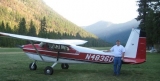
Found this pic.

I bought some stuff from PC Aviator.
http://www.pcaviator.com/shop/index.php
This is the combo I have and would recomend.
http://www.pcaviator.com/shop/viewAProduct.php?pid=402
For flying the jets and high performance aircraft, I reccomend the autopilot module.
http://www.pcaviator.com/shop/viewAProduct.php?pid=85
Have fun. I found flight sim to be very useful in learning to fly, too. I got into the habit of always using the ATC window while flying the sim, too.
Found this pic.
Sun Dec 21, 2008 7:09 pm
I have the same yoke and rudder pedals pictured above, and I recommend them as well. I understand there are some better ones out there, but for the price, I'm pretty pleased.
My rig isn't fancy, just the normal single-monitor desktop rig. I use another desktop system catty-corner to it to surf the web and keep an open window at the Flyteline site, as I fly missions there as well. Actually, it really freshened my interest in flight sim.
My rig isn't fancy, just the normal single-monitor desktop rig. I use another desktop system catty-corner to it to surf the web and keep an open window at the Flyteline site, as I fly missions there as well. Actually, it really freshened my interest in flight sim.
"Oh, look... a dead bird"
-looks up- "Where?"
-looks up- "Where?"
Sun Dec 21, 2008 7:32 pm
"... the Flyteline site..." ?
Humm. That's a new one on me. I didn't find a www.fliyteline.com .
If you can give me a url and/or a one sentence description I'll check it out.
When I googled Flyteline it seemed to be about model planes.
Alex
Humm. That's a new one on me. I didn't find a www.fliyteline.com .
If you can give me a url and/or a one sentence description I'll check it out.
When I googled Flyteline it seemed to be about model planes.
Alex
Alex Censor
(aka Computer Doctor)
This message posted with 100% recycled electrons
(aka Computer Doctor)
This message posted with 100% recycled electrons
Sun Dec 21, 2008 7:51 pm
"Oh, look... a dead bird"
-looks up- "Where?"
-looks up- "Where?"
Sun Dec 21, 2008 7:57 pm
- OregonMaule offline

- Posts: 6977
- Joined: Fri Sep 01, 2006 9:44 pm
- Location: Orygun
My SPOT page
"They who can give up essential liberty to obtain a little temporary safety, deserve neither liberty nor safety". Ben Franklin
http://en.wikiquote.org/wiki/Benjamin_Franklin
"They who can give up essential liberty to obtain a little temporary safety, deserve neither liberty nor safety". Ben Franklin
http://en.wikiquote.org/wiki/Benjamin_Franklin
Sun Dec 21, 2008 8:04 pm
I must say that I am a really strong propenent of using pedals with a yoke. When I was learning to fly back in the mid nineties, I finally got into a decent crosswind in the 172 with my instructor, and I fishtailed it towards the runway lurching back and forth like a drunken sailor.
I went home, fired up the flight simulator, set it up for a moderate crosswind, and was astonished to discover that the simulated 172 was identically uncontrollable to the real one. A couple of hours of simulated landings later, I felt quite adept at both wing-low and crabbed landings.
The next time I went up with my instructor, he was astonished as I stayed on the centerline in a 12 kt. crosswind, touching down on the upwind wheel, and kept it on centerline as the other side came down, then took off again. He wanted to know who else had been instructing me, and I told him MS Flight Simulator. He was dubious at first, but I explained how I had bought both the yoke and pedals, and expressly set it up for a crosswind to practice landings.
I think I spent around $75 each for the yoke and the pedals, but they paid for themselves many times over in reduced instruction costs. I've still got them, but they hook up to a 15 pin game port, and those are starting to go away on modern computers. Even though I have my own 172 now, I still use them in the winter to practice flying. I'll replace them with a USB set if I ever upgrade my computer to one that can't handle them. Some day I will go for my instrument rating and I expect them to be equally valuable in honing my skills.
I said all of that to tell you this: yes, they are absurdly overpriced for a couple of switches, pots, wires, and a bunch of plastic. Don't worry about it, you can't afford not to get them.
I went home, fired up the flight simulator, set it up for a moderate crosswind, and was astonished to discover that the simulated 172 was identically uncontrollable to the real one. A couple of hours of simulated landings later, I felt quite adept at both wing-low and crabbed landings.
The next time I went up with my instructor, he was astonished as I stayed on the centerline in a 12 kt. crosswind, touching down on the upwind wheel, and kept it on centerline as the other side came down, then took off again. He wanted to know who else had been instructing me, and I told him MS Flight Simulator. He was dubious at first, but I explained how I had bought both the yoke and pedals, and expressly set it up for a crosswind to practice landings.
I think I spent around $75 each for the yoke and the pedals, but they paid for themselves many times over in reduced instruction costs. I've still got them, but they hook up to a 15 pin game port, and those are starting to go away on modern computers. Even though I have my own 172 now, I still use them in the winter to practice flying. I'll replace them with a USB set if I ever upgrade my computer to one that can't handle them. Some day I will go for my instrument rating and I expect them to be equally valuable in honing my skills.
I said all of that to tell you this: yes, they are absurdly overpriced for a couple of switches, pots, wires, and a bunch of plastic. Don't worry about it, you can't afford not to get them.
Sun Dec 21, 2008 9:22 pm
RobBurson wrote:hey guys, what processor speed you running? ram? video card memory.
thanks rob
Uh, say what??
 I wish I can tell you Rob. Even though my set up looks fancy, I don't have a clue about the speed and ram
  .
.
Early this year I bought a new computer from Best Buy and told the kid I wanted to use it for the new Flight Sim X. He set me up with what he thought would work great, but the computer ended up not running the program very well. So I went back to Flight Sim 2004.
You might be better off on one of the Flight Sim forums for better info.
Mon Dec 22, 2008 10:26 am
Hey guys,
Been "lurking" for quite some time now, and finally found a subject I actually have some Knowledge of. As 58skylane mentioned, Rudder Pedals are an important part of learning how to fly, since most if not all aircraft also have them. When I was working on my PPL, I purchased the Saitek Yoke, Pedals and Throttle to use with FSX. I have not used the CH version and can only speak for the Saitek product, but either will do the job of giving you an almost realistic flying experience even when you can't be in the actual aircraft.
I think my time spent practicing on my simulator ultimately helped keep my overall cost of instruction under control, as well as gave me ample opportunity to work on XC, diversions, pattern work, etc.
Now that I'm finishing up my commercial and instrument and moving on to CFI, I still make time to work on holds, approaches, ito's, etc. on my simulator, which will only help keep costs down, and give me much needed experience, making me a better pilot when I'm in the real aircraft.
The only other thing I will highly recommend to go along with your flight simulator is a book by Jeff Van West and Kevin Lane-Cummings which has helped my simulator training. Its called Microsoft Flight Simulator X For Pilots: Real World Training and can be found at almost any book store.
Not sure about the earlier versions of Flight Simulator, but FSX has Johnson Creek, and last week I got to land there for the first time from the relative warmth of my home office in the winter.
Noah
Been "lurking" for quite some time now, and finally found a subject I actually have some Knowledge of. As 58skylane mentioned, Rudder Pedals are an important part of learning how to fly, since most if not all aircraft also have them. When I was working on my PPL, I purchased the Saitek Yoke, Pedals and Throttle to use with FSX. I have not used the CH version and can only speak for the Saitek product, but either will do the job of giving you an almost realistic flying experience even when you can't be in the actual aircraft.
I think my time spent practicing on my simulator ultimately helped keep my overall cost of instruction under control, as well as gave me ample opportunity to work on XC, diversions, pattern work, etc.
Now that I'm finishing up my commercial and instrument and moving on to CFI, I still make time to work on holds, approaches, ito's, etc. on my simulator, which will only help keep costs down, and give me much needed experience, making me a better pilot when I'm in the real aircraft.
The only other thing I will highly recommend to go along with your flight simulator is a book by Jeff Van West and Kevin Lane-Cummings which has helped my simulator training. Its called Microsoft Flight Simulator X For Pilots: Real World Training and can be found at almost any book store.
Not sure about the earlier versions of Flight Simulator, but FSX has Johnson Creek, and last week I got to land there for the first time from the relative warmth of my home office in the winter.
Noah
Beauty is in the eye of the beerholder
Mon Jan 05, 2009 4:17 pm
Flight simulator yokes, continued, seqway
Hey Skyline58!
You wrote, in part --
"..plus my computer has been on the rag, so not so fun. But I would like to keep all that stuff [FS yoke, etc] for now.... "
Too bad we're in different parts of the country. My professional hat is "Computer Doctor", so if we were neighbors I'd offer to whip that computer into shape for you.
If it's not too old it might be worth paying your local version of Computer Doctor to do that for you, but be careful about putting too much money into a dinosaur computer, as you can get a pretty decent new computer these days for under $450.
Alex
You wrote, in part --
"..plus my computer has been on the rag, so not so fun. But I would like to keep all that stuff [FS yoke, etc] for now.... "
Too bad we're in different parts of the country. My professional hat is "Computer Doctor", so if we were neighbors I'd offer to whip that computer into shape for you.
If it's not too old it might be worth paying your local version of Computer Doctor to do that for you, but be careful about putting too much money into a dinosaur computer, as you can get a pretty decent new computer these days for under $450.
Alex
Alex Censor
(aka Computer Doctor)
This message posted with 100% recycled electrons
(aka Computer Doctor)
This message posted with 100% recycled electrons
Mon Jan 05, 2009 5:49 pm
rudders and yoke
I have a set of CH Rudders and yoke that seem to work well.
I unfortunately have a limited attention span for computer games and MS flight simulator and have a hard time sitting in front of a computer for recreation when I use one all day for work. Could be because I am of the slide rule generation.
TD
I unfortunately have a limited attention span for computer games and MS flight simulator and have a hard time sitting in front of a computer for recreation when I use one all day for work. Could be because I am of the slide rule generation.
TD
Mon Jan 05, 2009 9:03 pm
Re: Flight simulator yokes, continued, seqway
acensor wrote:Hey Skyline58!
You wrote, in part --
"..plus my computer has been on the rag, so not so fun. But I would like to keep all that stuff [FS yoke, etc] for now.... "
Too bad we're in different parts of the country. My professional hat is "Computer Doctor", so if we were neighbors I'd offer to whip that computer into shape for you.
If it's not too old it might be worth paying your local version of Computer Doctor to do that for you, but be careful about putting too much money into a dinosaur computer, as you can get a pretty decent new computer these days for under $450.
Alex
Thanks for the offer, Alex. My computer is less than a year old and was supposed to be a good one for the new FSX, but didn't run the program very well. I think I ended up getting to much junk and spam on the computer and since then been using this laptop instead.
DISPLAY OPTIONS
Who is online
Users browsing this forum: No registered users and 0 guests
Latest Features
-
Live to Tell
A Minnesota pilot is surprised to learn that the sudden asymmetric drag of an out-of-rig ski can…Read More -
Creators
Working in some of the Yukon's most beautiful and remote environments, photographer Simon Blakesley captures aircraft in…Read More -
Aircraft Ownership and Maintenance
Upgrading to big tires can make a huge difference in backcountry performance, but with those gains come…Read More -
Tales from Yesteryear
In this tale from bush flying yesteryear, Don Cogger signs up to help Atlee Dodge Jr recovery…Read More


Latest Knowledge Base
-
Destinations
A regional guide with ideas for winter camping destinations in California, Nevada, New Mexico, and Arizona.Read More -
Aircraft
Finding an affordable aircraft that can handle the backcountry for $80K or less? A challenge for sure, but with the…Read More -
Aircraft
01.29.2018 - Zane - Updated tire diameter graphic to add 8.50x10 Guide to tires for use in the backcountry and off-airport landing…Read More -
Pilots
12.22.2013 - Initial article format Operating aircraft on skis and negotiating a snow-covered landscape is an entirely unique skillset and environment.…Read More


