Bagarre,
I'd be interested to know how you like that set up. I'm waiting for some spring raft guiding money to come in so I can buy the exact same setup. I took Alan's advice and found a local store that had a couple of different models in stock and am pretty well settled on the XT10.
Thanks.
Frank
Choosing a Grab&Go Camera for BCP Cockpit Photography-2016/7
Tue Mar 08, 2016 1:15 pm
Tue Mar 08, 2016 3:25 pm
Re: Choosing a Grab&Go Camera for BCP Cockpit Photography-20
UH-60andC-180 wrote:
Rob,
That spot looks awefully familiar Rob. Is that the Susitna Shore on the West side of Talkeetna, just south of the rail bridge over the Talkeetna River? We have one of our favorite family photos in that spot from the Hudson Fly-in last year. Great quality photo. I'm gonna have to look up that camera. I hope it comes with your photography skills as well.
Brett

That was me, not Rob. I wish I had as much fun as Rob has had flying lately! But yes, it is the Susitna river just through town in Talkeetna south of the rail bridge. An easy one to get to, but beautiful spot!
- amacbean offline

- Posts: 544
- Joined: Mon Aug 08, 2005 3:22 pm
- Location: Springville
- FindMeSpot URL: http://share.findmespot.com/shared/face ... 7GsCKYBvNX
- Aircraft: Cessna 170b
Tue Mar 08, 2016 5:21 pm
Re: Choosing a Grab&Go Camera for BCP Cockpit Photography-20
My bad Allan. Great spot in a great town with great beer.amacbean wrote:
That was me, not Rob.
Brett

Sun Mar 13, 2016 1:52 pm
Re: Choosing a Grab&Go Camera for BCP Cockpit Photography-20
Great thread with some amazing pictures. Since the OP was asking about point and shoot type of cameras, I'll suggest one in the low $400 range. When I started in photography in the 1960's, format size was king, but large format doesn't allow quick point and shoot operation. My preferred camera back then was a folding bellows 2 1/4 X 2 1/4 that had a Carl Zeiss lens that could fit in my pocket. Much easier to have and use than my 4 X 5 Linhof, which I used for studio shots.
Now 50 years later I've embraced digital cameras and have discovered that format size (sensor size) doesn't play near the role that it used to. Advantages of a smaller sensor are of course a smaller camera, but also a smaller standard focal length. This means with any given zoom lens, you have a much greater magnification with a small sensor than a large sensor. Since the current crop of small sensors are packing over 20 mp on their CMOS sensors, why not save a lot of coin and bulk on the camera purchase?
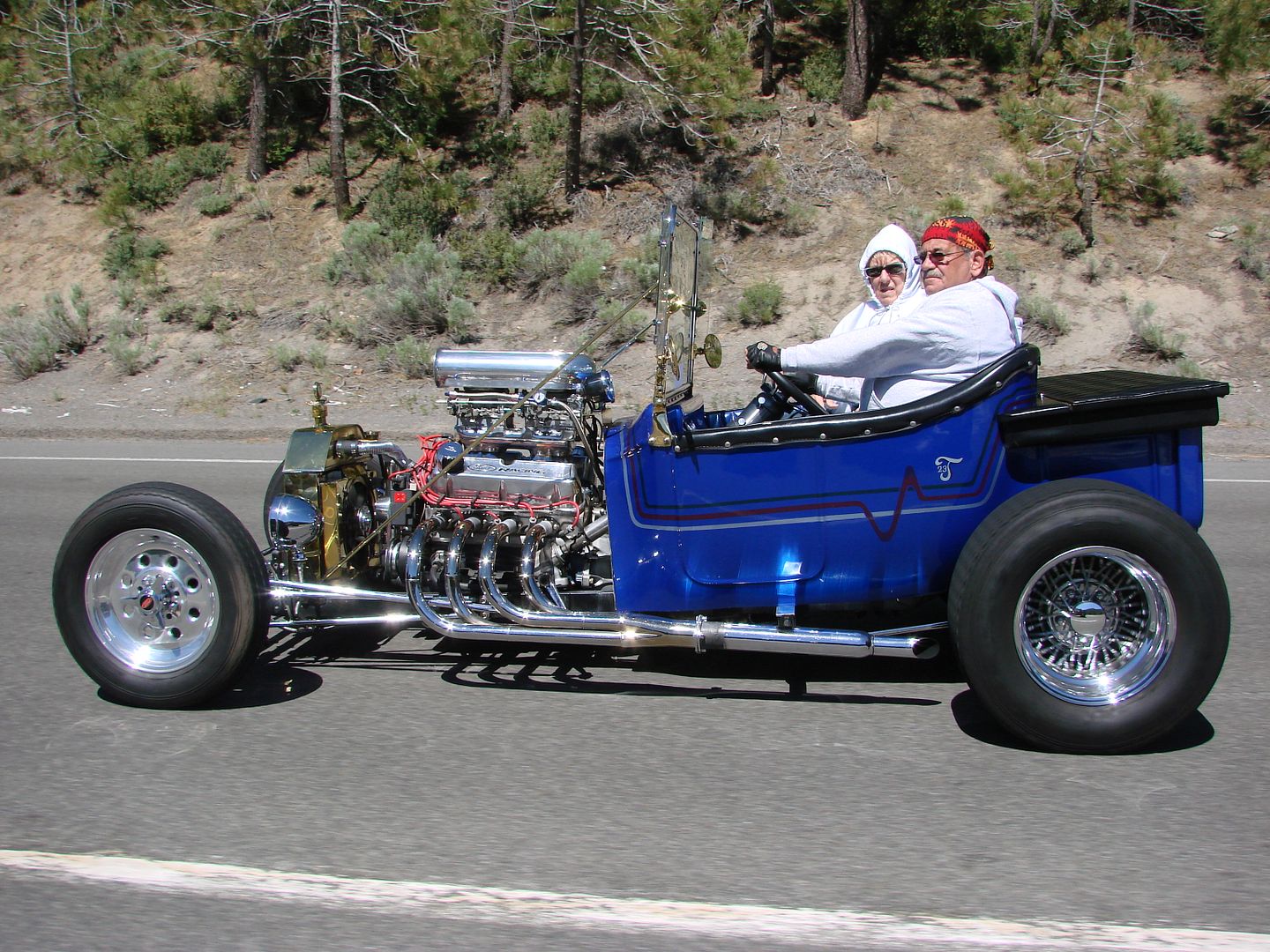
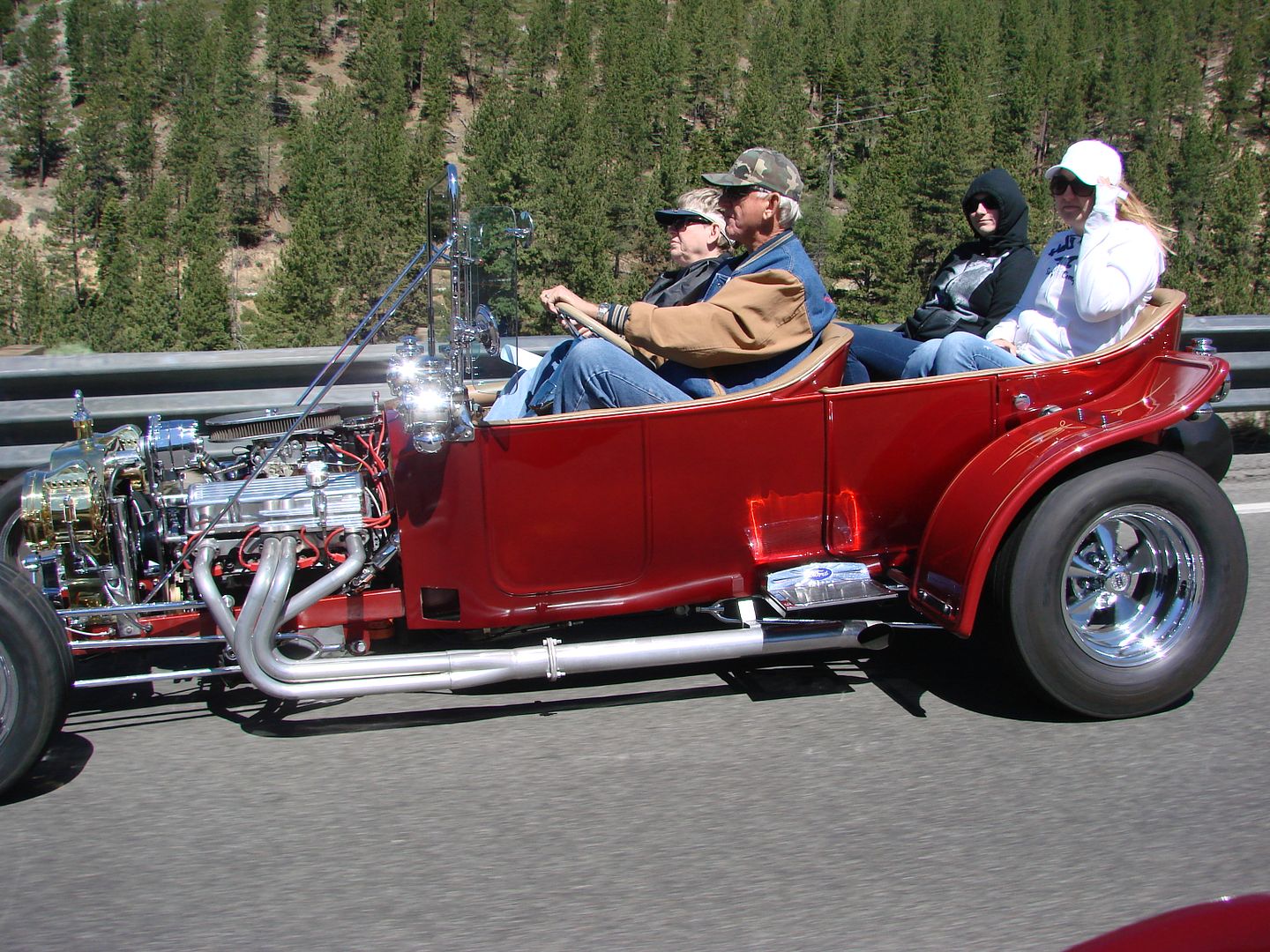
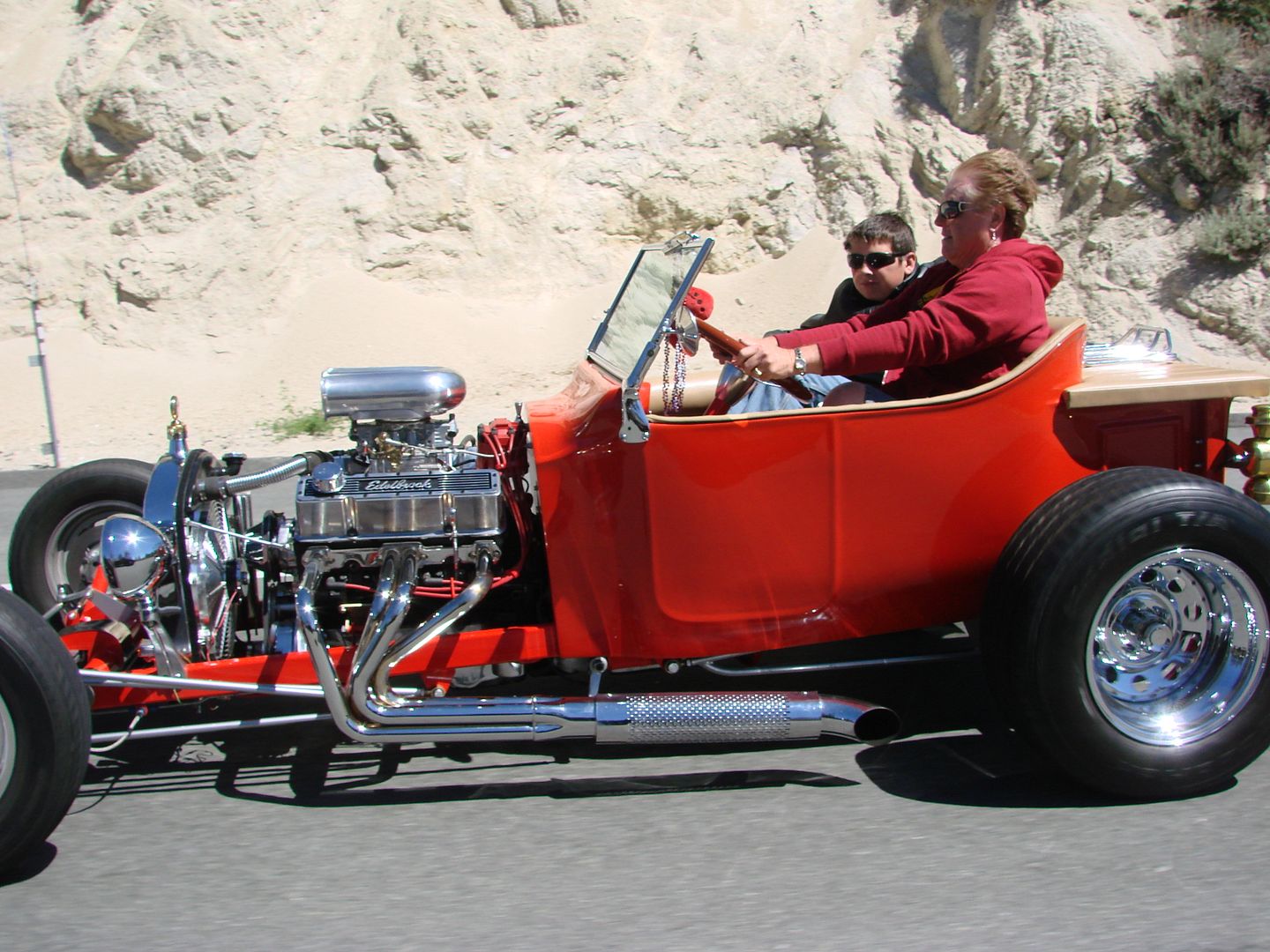
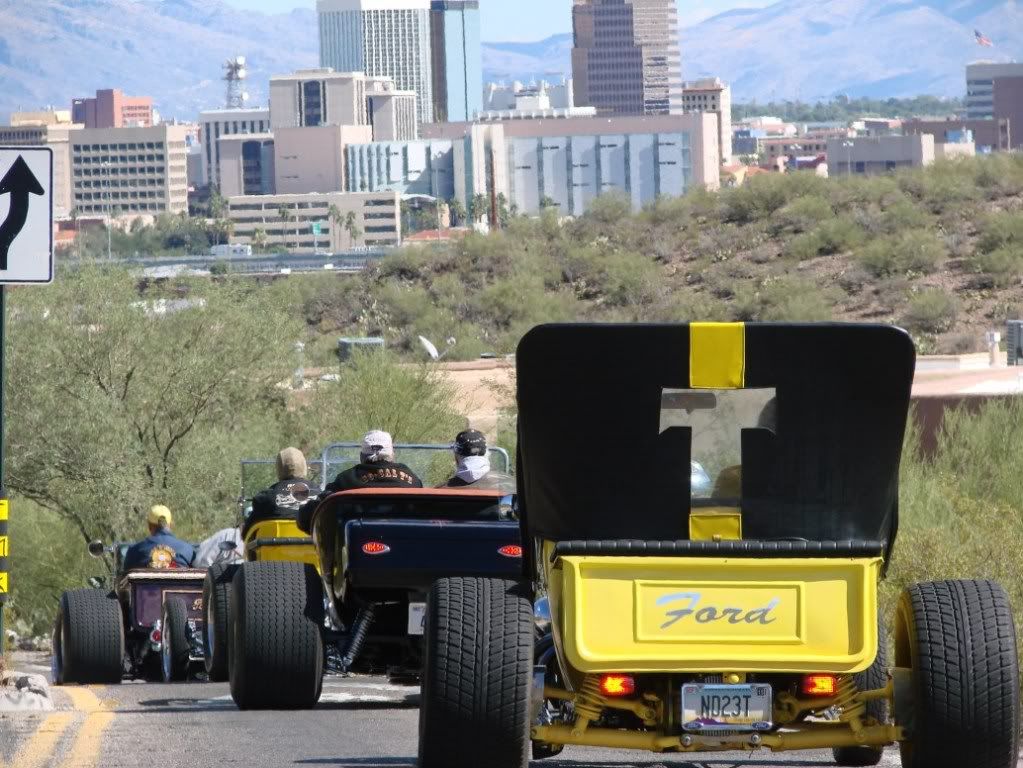
The camera I'm currently using is an old Sony Super Steady Shot DSC-H5 with 12X optical zoom Carl Zeiss 6~72 mm lens. Only 7.2 mp to give you an idea of how old this model is. The current offering from Sony would be DSC HX-300 with 20.4 mp and 50X optical zoom. Two things sold me on the Sony, the lens and their Steady Shot image stabilization. The acid test of their image stabilization is shooting while driving my 1923 Ford Track-T, other drivers of Ts on our events. The below pictures were taken at 60 mph, steering with one hand, camera in the other hand. No cropping.
This shot would not of been possible without good image stabilization because not only was I driving, but I zoomed to compress the other Ts and background.
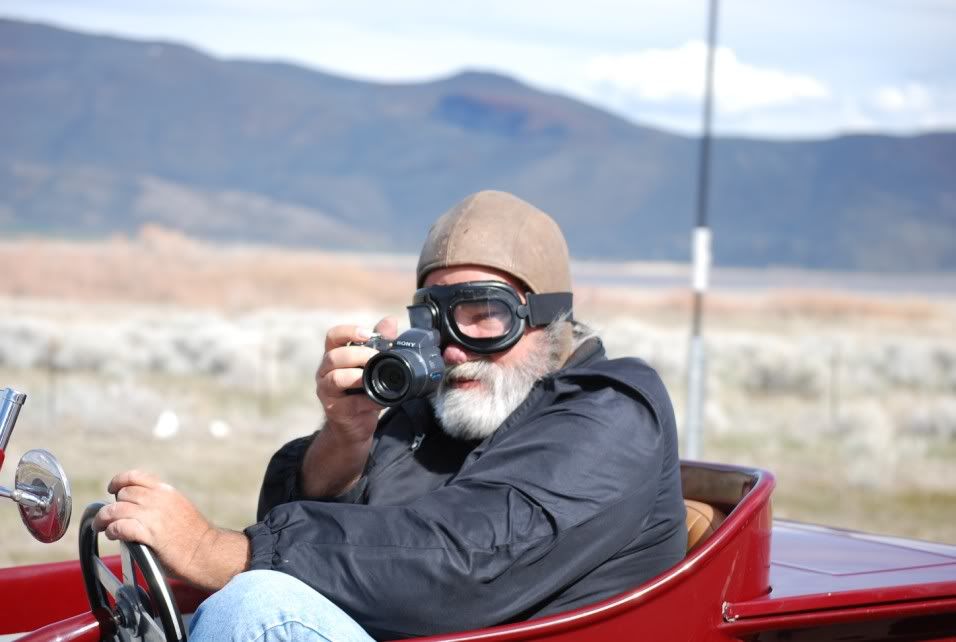
This is what I look like when taking these on the run type pictures. Now you can all laugh.
Mary Ann took the above picture at the same time I took theirs on hwy 395 north of Carson City, Nevada.
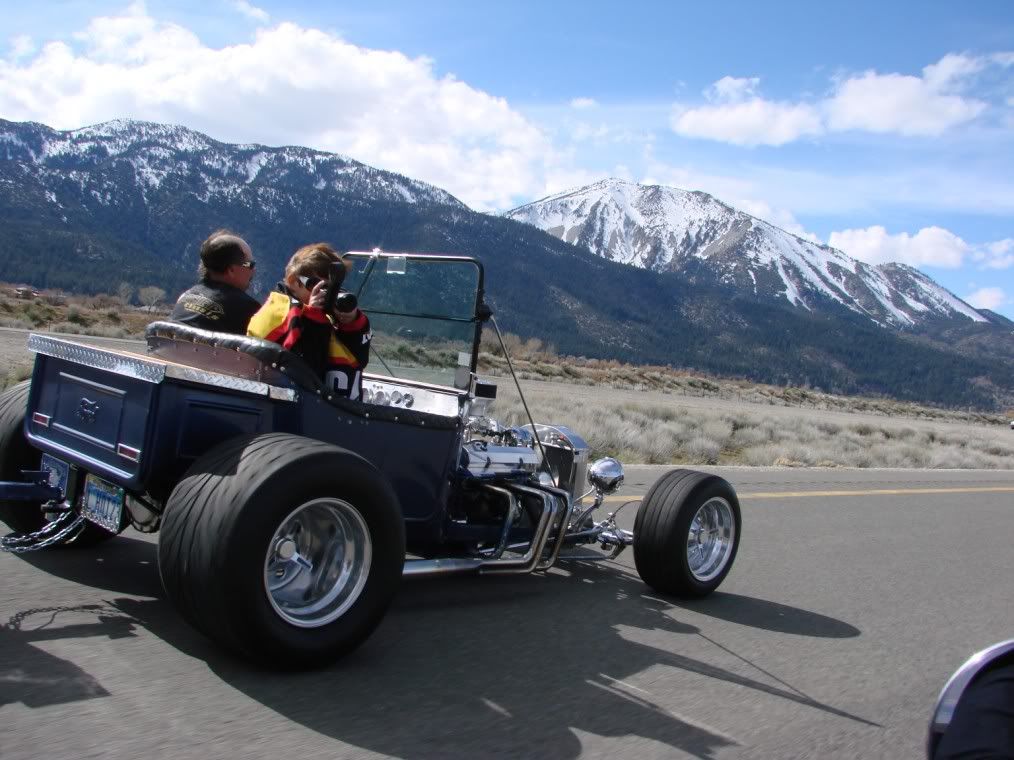
To wrap up this long post, if your looking for some great "wing man" pictures where the shot gives the impression of razor close separation but in reality your at a sane distance, then use a longer focal length to bring your wing man in close and let a well engineered image stabilization pull off the shot.
Now 50 years later I've embraced digital cameras and have discovered that format size (sensor size) doesn't play near the role that it used to. Advantages of a smaller sensor are of course a smaller camera, but also a smaller standard focal length. This means with any given zoom lens, you have a much greater magnification with a small sensor than a large sensor. Since the current crop of small sensors are packing over 20 mp on their CMOS sensors, why not save a lot of coin and bulk on the camera purchase?
The camera I'm currently using is an old Sony Super Steady Shot DSC-H5 with 12X optical zoom Carl Zeiss 6~72 mm lens. Only 7.2 mp to give you an idea of how old this model is. The current offering from Sony would be DSC HX-300 with 20.4 mp and 50X optical zoom. Two things sold me on the Sony, the lens and their Steady Shot image stabilization. The acid test of their image stabilization is shooting while driving my 1923 Ford Track-T, other drivers of Ts on our events. The below pictures were taken at 60 mph, steering with one hand, camera in the other hand. No cropping.
This shot would not of been possible without good image stabilization because not only was I driving, but I zoomed to compress the other Ts and background.
This is what I look like when taking these on the run type pictures. Now you can all laugh.
Mary Ann took the above picture at the same time I took theirs on hwy 395 north of Carson City, Nevada.
To wrap up this long post, if your looking for some great "wing man" pictures where the shot gives the impression of razor close separation but in reality your at a sane distance, then use a longer focal length to bring your wing man in close and let a well engineered image stabilization pull off the shot.
- deckofficer offline
- Posts: 225
- Joined: Sun Nov 24, 2013 2:10 pm
- Location: 1st Aero Squadron Airpark NM09, New Mexico
Bob
Sun Mar 13, 2016 5:58 pm
Re: Choosing a Grab&Go Camera for BCP Cockpit Photography-20
Cool stuff. I got a lot of catching up to do trying to figure this out. Makes my old brain hurt.
Gump
Gump
Fri Mar 18, 2016 1:14 pm
- amacbean offline
- Posts: 544
- Joined: Mon Aug 08, 2005 3:22 pm
- Location: Springville
- FindMeSpot URL: http://share.findmespot.com/shared/face ... 7GsCKYBvNX
- Aircraft: Cessna 170b
Fri Mar 18, 2016 1:46 pm
Re: Choosing a Grab&Go Camera for BCP Cockpit Photography-20
^ Nice shots. I wouldn't have noticed the lens' shadow if you hadn't pointed it out.

471AM
Husky A1-B
Husky A1-B
Fri Mar 18, 2016 2:31 pm
Choosing a Grab&Go Camera for BCP Cockpit Photography-2016/7
Allen that's awesome!
My GX8 doesn't even have a built-in flash so it's hotshoe or nothing, hence no lens shadow.
My GX8 doesn't even have a built-in flash so it's hotshoe or nothing, hence no lens shadow.
- Zzz offline


- Posts: 2854
- Joined: Fri Oct 08, 2004 11:09 pm
- Location: northern
- Aircraft: Swiveling desk chair
Half a century spent proving “it is better to be thought a fool than to open your mouth and remove all doubt.”
Sat Mar 26, 2016 9:06 pm
Re: Choosing a Grab&Go Camera for BCP Cockpit Photography-20
Just ordered a Fuji X-T10 with 18-55 kit lens after doing some research and looking at the results here. I'm looking forward to receiving it and getting started. Last time I was serious about picture taking was a while ago.
Mon Mar 28, 2016 2:44 pm
Re: Choosing a Grab&Go Camera for BCP Cockpit Photography-20
fshaw wrote:Bagarre,
I'd be interested to know how you like that set up. I'm waiting for some spring raft guiding money to come in so I can buy the exact same setup. I took Alan's advice and found a local store that had a couple of different models in stock and am pretty well settled on the XT10.
Thanks.
Frank
I missed this.
So far, I really like the XT10 but I havent really done more than shots around the house to get used to the controls.
Compared to my old D7000, it's dainty. But I'm loving the all metal feel and solid clicks of the dials.
The one thing that drove me nuts at first (still does) is the artificial shutter noise doesn't match the shutter speed and I didn't realize how much I used that to validate my settings. When I slow down the shutter speed, I expect a different sound. Not so with the Fuji so I have to catch myself from thinking I screwwd up and re-checking the settings.
The iphone app is miserable. So bad, I'd rather write my own using Perl/Tk

The battery/memory card slots are on the bottom and perfectly blocked by the camera strap I use (it threads into the tripod mount)
These are minimal complaints and mostly things to get used to. The D7000 had NO wireless access.
Thursday, we leave for a two week road trip (LA to DC) and I rented the 10-24 for the trip.
After playing with the 10-24 for 15 minutes, I really want to buy one and sell the 18-55

Tue Mar 29, 2016 12:04 pm
Re: Choosing a Grab&Go Camera for BCP Cockpit Photography-20
fshaw wrote:Just ordered a Fuji X-T10 with 18-55 kit lens after doing some research and looking at the results here. I'm looking forward to receiving it and getting started. Last time I was serious about picture taking was a while ago.
That should be great fun! It's such a sweet little camera...it's the camera I decided on before opting to go with a 35mm sensor.
If it gives you the option be sure to shoot "Jpeg + RAW", even if you don't want to deal with RAW images right now. Memory is cheap and you can just dump them in a file in case you want to play with them later. RAW files contain many times the data of Jpeg's and there are a lot of pretty simple and inexpensive programs that let you access it.
The real question is how many days it takes you to order another lens...


Tue Mar 29, 2016 1:01 pm
Re: Choosing a Grab&Go Camera for BCP Cockpit Photography-20
I know, it's already happened to Bagarre!
Mon Apr 11, 2016 6:18 pm
Re: Choosing a Grab&Go Camera for BCP Cockpit Photography-20
I need some help with this since I've been unable to find an answer anywhere online.
Is it possible to back up an SD card to an external hard drive without using a computer other than an iPad or IPhone? I'll have a 64G IPad Air and a 6S when we go on our trip but don't want to take a laptop. I know that I can get a Lightning to SD card reader and upload images to the cloud through either iOS device, but would like to be able to download the jpeg and raw data files to a 2.5" external hard drive. Ideally I'd like to purchase a WD 1TB Passport Ultra and use that for back up and additional storage. I can buy a couple of extra SD cards if that's the only way around it, but would prefer not to have to keep track of them if not absolutely necessary.
At this point I don't even really understand what raw data photo files are other than they contain more data available for processing than jpeg files do so I don't want to use them. Are they saved to the cloud when saving through an iOS device? From what I read the new WD Ultra Passport Wireless (with SD card reader) doesn't transfer raw files so that's not an ideal solution.
I'm pretty much a neophyte at this so the solution may be obvious or what I think I understand might be totally in error.
Thanks.
Frank
Is it possible to back up an SD card to an external hard drive without using a computer other than an iPad or IPhone? I'll have a 64G IPad Air and a 6S when we go on our trip but don't want to take a laptop. I know that I can get a Lightning to SD card reader and upload images to the cloud through either iOS device, but would like to be able to download the jpeg and raw data files to a 2.5" external hard drive. Ideally I'd like to purchase a WD 1TB Passport Ultra and use that for back up and additional storage. I can buy a couple of extra SD cards if that's the only way around it, but would prefer not to have to keep track of them if not absolutely necessary.
At this point I don't even really understand what raw data photo files are other than they contain more data available for processing than jpeg files do so I don't want to use them. Are they saved to the cloud when saving through an iOS device? From what I read the new WD Ultra Passport Wireless (with SD card reader) doesn't transfer raw files so that's not an ideal solution.
I'm pretty much a neophyte at this so the solution may be obvious or what I think I understand might be totally in error.
Thanks.
Frank
Mon Apr 11, 2016 7:19 pm
Re: Choosing a Grab&Go Camera for BCP Cockpit Photography-20
That's a question I'd like the answer to as well, because in my cursory research I wasn't able to find anything suitable and affordable. Your best bet is to go long with SD cards. I don't mess around with SD cards, I like them fast and large. Mainly because I also shoot video, but my card of choice is the Sandisk Extreme Pro in 64GB. Good for 4K video.
- Zzz offline
- Posts: 2854
- Joined: Fri Oct 08, 2004 11:09 pm
- Location: northern
- Aircraft: Swiveling desk chair
Half a century spent proving “it is better to be thought a fool than to open your mouth and remove all doubt.”
Mon Apr 11, 2016 8:36 pm
Re: Choosing a Grab&Go Camera for BCP Cockpit Photography-20
Can't help you with the technical aspect of backing up images, but if your camera will shoot both jpeg and RAW images concurrently, DO shoot both, even if you don't use them right now. A year from now you'll probably be happy you have them. Icloud generally doesn't try to upload RAW images, so they shouldn't slow anything down on that end.
A jpeg is just what the camera processor wants to keep, while a RAW is everything the sensor could collect. The camera processor does a great job, but if you want something different, you need to have the RAW image.
It takes a LONG time to fill up a 64gb card, and they're not that expensive. Computer disk space is practically free, so that's not an issue.
A jpeg is just what the camera processor wants to keep, while a RAW is everything the sensor could collect. The camera processor does a great job, but if you want something different, you need to have the RAW image.
It takes a LONG time to fill up a 64gb card, and they're not that expensive. Computer disk space is practically free, so that's not an issue.
Thu Apr 14, 2016 11:53 am
Re: Choosing a Grab&Go Camera for BCP Cockpit Photography-20
Zzz wrote:That's a question I'd like the answer to as well, because in my cursory research I wasn't able to find anything suitable and affordable. Your best bet is to go long with SD cards. I don't mess around with SD cards, I like them fast and large. Mainly because I also shoot video, but my card of choice is the Sandisk Extreme Pro in 64GB. Good for 4K video.
I use the same card, though I chose it at random. Aside from price, does the 64gb card have any advantage over the larger ones?
Frank...waiting for a picture from you! Hey, even a picture of your new camera taken with your phone would work.
Thu Apr 14, 2016 12:22 pm
Re: Choosing a Grab&Go Camera for BCP Cockpit Photography-20
Hammer wrote:Zzz wrote:That's a question I'd like the answer to as well, because in my cursory research I wasn't able to find anything suitable and affordable. Your best bet is to go long with SD cards. I don't mess around with SD cards, I like them fast and large. Mainly because I also shoot video, but my card of choice is the Sandisk Extreme Pro in 64GB. Good for 4K video.
I use the same card, though I chose it at random. Aside from price, does the 64gb card have any advantage over the larger ones?
Frank...waiting for a picture from you! Hey, even a picture of your new camera taken with your phone would work.
Nope, just convenient for the immense data volume of ultra HD video.
- Zzz offline
- Posts: 2854
- Joined: Fri Oct 08, 2004 11:09 pm
- Location: northern
- Aircraft: Swiveling desk chair
Half a century spent proving “it is better to be thought a fool than to open your mouth and remove all doubt.”
Fri Apr 15, 2016 12:01 pm
Re: Choosing a Grab&Go Camera for BCP Cockpit Photography-20
I hereby swear that I will never again entertain myself by randomly searching ebay for camera lenses.
This arrives next week: 600mm f4 Nikkor EDIF MF. I didn't even know I wanted one.

The Wimberley gimbal head and oversized tripod are on the way, too. Next month I'll invest in heavy duty springs for the Toyota.
Get ready for more bird pictures in the tie-down thread I guess.
This arrives next week: 600mm f4 Nikkor EDIF MF. I didn't even know I wanted one.
The Wimberley gimbal head and oversized tripod are on the way, too. Next month I'll invest in heavy duty springs for the Toyota.
Get ready for more bird pictures in the tie-down thread I guess.
Fri Apr 15, 2016 12:32 pm
Re: Choosing a Grab&Go Camera for BCP Cockpit Photography-20
Well you have almost all of them now no need to look further!
Sent from my SM-N920V using Tapatalk
Sent from my SM-N920V using Tapatalk
- tailwind5sw offline
- Posts: 60
- Joined: Thu Feb 26, 2015 10:15 am
- Location: ICT
- Aircraft: WITTMAN W10
Fri Apr 15, 2016 1:10 pm
Re: Choosing a Grab&Go Camera for BCP Cockpit Photography-20
tailwind5sw wrote:Well you have almost all of them now no need to look further!
Boy I hope you're right. I felt a little extravagant for buying the 600mm until I had lunch with my buddy and found out he just bought the new Hassleblad digital body... $45,000 without a lens.
DISPLAY OPTIONS
Who is online
Users browsing this forum: No registered users and 1 guest
Latest Features
-
Live to Tell
A Minnesota pilot is surprised to learn that the sudden asymmetric drag of an out-of-rig ski can…Read More -
Creators
Working in some of the Yukon's most beautiful and remote environments, photographer Simon Blakesley captures aircraft in…Read More -
Aircraft Ownership and Maintenance
Upgrading to big tires can make a huge difference in backcountry performance, but with those gains come…Read More -
Tales from Yesteryear
In this tale from bush flying yesteryear, Don Cogger signs up to help Atlee Dodge Jr recovery…Read More


Latest Knowledge Base
-
Destinations
A regional guide with ideas for winter camping destinations in California, Nevada, New Mexico, and Arizona.Read More -
Aircraft
Finding an affordable aircraft that can handle the backcountry for $80K or less? A challenge for sure, but with the…Read More -
Aircraft
01.29.2018 - Zane - Updated tire diameter graphic to add 8.50x10 Guide to tires for use in the backcountry and off-airport landing…Read More -
Pilots
12.22.2013 - Initial article format Operating aircraft on skis and negotiating a snow-covered landscape is an entirely unique skillset and environment.…Read More


