Ipads
Sun Apr 08, 2018 9:04 pm
Ipads
Fellow Pilots, I'm considering an Apple iPad pro to help me along in the cockpit. I will use it mainly for wx, charts, etc. Had a Kendall --wasn't useful. Have access to an iPad air as well but am looking for reasonable thoughts on the iPad pro or another unit to get the job done. Your thoughts are appreciated
- Big Sky-Wagon offline

- Posts: 29
- Joined: Thu Apr 13, 2017 8:48 pm
- Location: GTF
- Aircraft: 1976 U206
Sun Apr 08, 2018 11:00 pm
Re: Ipads
I have used both the iPad Pro 10.5 and the iPad mini in the air. The mini works fine, but the screen is not a readable in sunlight. The iPad Pro has a much brighter screen. The larger size allows you to mount it further away and still be readable. The 12" iPad Pro would pose a problem in placement. I would try the 12" in the air to see if it is workable. It would do just fine in my Caravan's cockpit, but it would have been a scrunch in the 185. I am still working on placement in the 206 as a back up to the G1000. I have also found my iPhone 7+ to be surprisingly useful, with a velcro mount/ spider holder on the panel. The phone in the pic is actually a iPhone 6 in the bendable spider mount. They are about $3 on Amazon.

Last edited by dogpilot on Mon Apr 09, 2018 2:43 am, edited 1 time in total.
Sun Apr 08, 2018 11:28 pm
Re: Ipads
I chose to go with an iPad mini because I could panel mount it in the SQ-2 and thought I would mount it in the Avionics center stack of my 185 but sold that plane before I ever did. I'm in the process of purchasing another 185 and will temporarily mount the mini as I did before in an x-brace above the avionics stack. When I get around to redoing the panel in this 185 an iPad of some sort will be panel mounted. Interesting dogpilot to see you using a pro, I hadn't thought that would fit in the cockpit very easily. For sure the current mini is lagging behind on being upgraded. I don't know if that means Apple is planning on dropping it in the future.
- Barnstormer offline
- Posts: 2700
- Joined: Sun Oct 14, 2012 7:42 am
- Location: Alaska
- Aircraft: C185
Mon Apr 09, 2018 2:58 am
Re: Ipads
Well the 10.5" model is almost the same size as the 9" model, just a thinner bezel. I use my gear in different size aircraft. The Caravan's cabin can carry a 185 fuselage inside it. The Twin Otter is equally large. So I have to put the pad a bit further away in those (my eyes aren't getting any younger). I have a semi rigid flexible metal stalk I mount to the floor. I'll have to take a pic next time I put it in. I have not worked out the 206 mount yet. The water rudder handle and emergency hand pump kind of occupy the space I normally use for mounting. In the Caravan there is a panel on the co-pilot's side of the pedestal I made a mount for (the co-pilot position on a Caravan is mainly used for "self loading cargo" not pilots).
Mon Apr 09, 2018 3:14 am
Mon Apr 09, 2018 4:41 am
Re: Ipads
I have a 9.7” Pro, but it’s too big for my personal preference in the Maule cockpit. I picked up a Mini 4 recently, and it fits perfectly for me on the yoke without masking any of the instruments. If I had a larger plane with room for it, the 9.7” model would be great.
- Chris In Marshfield offline

- Posts: 238
- Joined: Mon Apr 04, 2016 6:54 am
- Location: Northern
- Aircraft: Vans RV-6
Quicksilver Sprint II
Warner Spacewalker II
Mon Apr 09, 2018 6:21 am
Re: Ipads
I found a non glare screen protector for my iPad Mini, which significantly reduces glare in a Cub cockpit. I’ve used a full size iPad in several typical GA cockpits, and it was just too big, even to use as a knee board.
I don’t have the specifics on this anti glare screen protector, but do a search. Not perfect, but far better than “standard.
MTV
I don’t have the specifics on this anti glare screen protector, but do a search. Not perfect, but far better than “standard.
MTV


Mon Apr 09, 2018 6:46 am
Re: Ipads
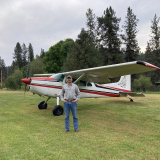
I've used a mini in my 180 for about 5 years. I mount it to the yoke with a RAM X-Grip yoke mount.
I prefer a laptop when I'm sitting around the house, but the mini is ideal for me in the 180. Perhaps not the most cutting-edge device, but it runs Foreflight great and that's good enough for me. One downside is that the battery only seems to last about 3 hours when I'm running it in flight, so I keep a charger handy. I have considered adding a USB port to facilitate charging... right now I just use a cigarette lighter adapter.
I prefer a laptop when I'm sitting around the house, but the mini is ideal for me in the 180. Perhaps not the most cutting-edge device, but it runs Foreflight great and that's good enough for me. One downside is that the battery only seems to last about 3 hours when I'm running it in flight, so I keep a charger handy. I have considered adding a USB port to facilitate charging... right now I just use a cigarette lighter adapter.
Mon Apr 09, 2018 6:47 am
Re: Ipads
The MyGoFlight anti-glare screen protector works pretty well, and being tempered glass is incredibly durable. I keep a little cloth over it just to protect it in transit however it's been on mine for a while now without scratches. They also sell this wax polish for the screen protector that works really well. Wax on, wax off, and you have great clarity.
I use an Air 2 (9.7") now and the size is about as big as I think I'd want; the larger 12" pro would be too much in any common GA cockpit. I generally yoke mount it with a RAM clamp and X-Naut tray for fan cooling, and it's usually not in the way of things. That said I intend to rig up a RAM ball mount on the panel here soon and get it up out of the way. The 9.7" is basically the same physical size as the 10.2" Pro as someone else noted, so the same fan tray works with both if I ever upgrade it.
Speaking of fan trays, if you fly in sunny places I recommend it. These apps crank out some warmth when they're working hard, and combined with direct sunlight the heat buildup will cause the iPad to shut down at annoying times. The trays aren't cheap, but I can tell you they work very well and are lightweight.
I used to run a kneeboard setup but find it just gets in the way. Maybe a different kneeboard or a smaller iPad would be useful in these cases, but the RAM mount is portable enough that I just toss it in the flight bag anyway. Then it stays in place and I can leave it wired up to my battery pack. The downside to the arrangement is that in a kneeboard, it's instantly portable for taking inside; with the mounted way I need to slip it back into a case to protect it when it leaves the cockpit. Still, the convenience of not being strapped to a hot(!) device for hours and having it mounted somewhere more in my normal vision is worth it. IMO kneeboards are good for things you look at just occasionally (ATIS/ATC notes, etc); iPads are increasingly becoming an active part of flight ops, so they should be placed in a place of easy reference like anything else.
I use an Air 2 (9.7") now and the size is about as big as I think I'd want; the larger 12" pro would be too much in any common GA cockpit. I generally yoke mount it with a RAM clamp and X-Naut tray for fan cooling, and it's usually not in the way of things. That said I intend to rig up a RAM ball mount on the panel here soon and get it up out of the way. The 9.7" is basically the same physical size as the 10.2" Pro as someone else noted, so the same fan tray works with both if I ever upgrade it.
Speaking of fan trays, if you fly in sunny places I recommend it. These apps crank out some warmth when they're working hard, and combined with direct sunlight the heat buildup will cause the iPad to shut down at annoying times. The trays aren't cheap, but I can tell you they work very well and are lightweight.
I used to run a kneeboard setup but find it just gets in the way. Maybe a different kneeboard or a smaller iPad would be useful in these cases, but the RAM mount is portable enough that I just toss it in the flight bag anyway. Then it stays in place and I can leave it wired up to my battery pack. The downside to the arrangement is that in a kneeboard, it's instantly portable for taking inside; with the mounted way I need to slip it back into a case to protect it when it leaves the cockpit. Still, the convenience of not being strapped to a hot(!) device for hours and having it mounted somewhere more in my normal vision is worth it. IMO kneeboards are good for things you look at just occasionally (ATIS/ATC notes, etc); iPads are increasingly becoming an active part of flight ops, so they should be placed in a place of easy reference like anything else.
Mon Apr 09, 2018 9:03 am
Re: Ipads
Seems like there's iPad people or Android people,
just like there's high-wing people & low-wing people.
If you're not dead set in one camp or the other,
seems like your choice of hardware depends on what you want to run.
A couple years ago, I bought an android-system tablet specifically to run the free Avare app.
(it's not available for ios, only android).
I was originally just gonna use it as an electronic sectional, and continue to navigate using my Garmin 196.
But the app is so capable, the tablet quickly became my primary nav.
The 196 is now a backup, still in the airplane but rarely turned on.
My tablet is an 8" Samsung Galaxy Tab A.
I paid $200 for it online from BestBuy a couple years ago,
but recently I've seen them at Costco for $130.
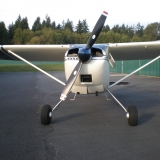
It fits nicely on the panel in the "centerstack" area,
surface mounted using velcro so no worries about interference with the control column.
Never had a problem with it being hard to read or not bright enough-
in fact, I think I have the brightness turned down a bit from max.
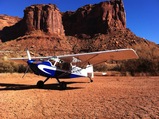
Here's a photo:

just like there's high-wing people & low-wing people.
If you're not dead set in one camp or the other,
seems like your choice of hardware depends on what you want to run.
A couple years ago, I bought an android-system tablet specifically to run the free Avare app.
(it's not available for ios, only android).
I was originally just gonna use it as an electronic sectional, and continue to navigate using my Garmin 196.
But the app is so capable, the tablet quickly became my primary nav.
The 196 is now a backup, still in the airplane but rarely turned on.
My tablet is an 8" Samsung Galaxy Tab A.
I paid $200 for it online from BestBuy a couple years ago,
but recently I've seen them at Costco for $130.
It fits nicely on the panel in the "centerstack" area,
surface mounted using velcro so no worries about interference with the control column.
Never had a problem with it being hard to read or not bright enough-
in fact, I think I have the brightness turned down a bit from max.
Here's a photo:
Cessna Skywagon -- accept no substitute!
Mon Apr 09, 2018 4:44 pm
Re: Ipads
You also need to consider if you want to use Foreflight or not. Yes there are other EFB software - but if you want to use Foreflight, then there is only one choice - IOS (iPad or iPhone).
Tue Apr 10, 2018 6:49 am
Re: Ipads
I bought a refurbed mini4 from Apple. That means it was used in a previous life but has new glass, new battery, new cables, etc. Good deal.
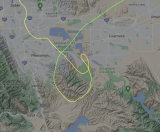
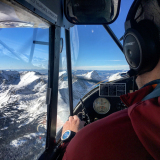
I'm not a fan of full size iPads in the cockpit. Mini's all the way. You can see how I run mine in my 180. I would prefer if the screen was vertical but don't want to block visibility out the window. Blocks out my ADF which I've never turned on and have plans to remove. I use a RAM system on a suction cup to l. Works great. I would like to get a non glare screen protector for it though.

I'm not a fan of full size iPads in the cockpit. Mini's all the way. You can see how I run mine in my 180. I would prefer if the screen was vertical but don't want to block visibility out the window. Blocks out my ADF which I've never turned on and have plans to remove. I use a RAM system on a suction cup to l. Works great. I would like to get a non glare screen protector for it though.
Wed Apr 11, 2018 6:04 am
Re: Ipads
I have the non glare protector on my mini 3 and it helped a good deal.
- a3holerman offline
- Posts: 278
- Joined: Mon Oct 05, 2015 7:29 am
- Location: Cape Cod
- Aircraft: Cessna 185
Wed Apr 11, 2018 10:38 am
Re: Ipads
Big Sky-Wagon wrote:Fellow Pilots, I'm considering an Apple iPad pro to help me along in the cockpit. I will use it mainly for wx, charts, etc. Had a Kendall --wasn't useful. Have access to an iPad air as well but am looking for reasonable thoughts on the iPad pro or another unit to get the job done. Your thoughts are appreciated
I use an iPad Air 2 in our Skywagon and our Bush Hawk, bot of which also have GTN750's. I really like to be able to keep the Garmins on the map/nav displays and have the approach plates or airport diagrams displayed on the iPad. As MTV said earlier, the full-size iPad is a bit big for kneeboard work - and gets in the way of the yokes on both of our airplanes at the worst times. I've just gotten in the habit of keeping it on the seat next to me - or in the hands of my copilot/navigator if I've got one along.
It's not the best solution, but it works - and I really like having Foreflight and other useful apps easily readable without having to pick it up or get a good squint going at a tiny screen.
Whatever you do, spend the money on the most memory! Your iPad will run faster and all the information you need will always be there.
- CapnMike offline
- Posts: 842
- Joined: Wed Mar 05, 2014 11:25 am
- Location: Kamas, Utah and Sandpoint, Idaho
"If my wings should fail me Lord, please meet me with another pair" - Led Zeppelin
"It's all going in my report..." - CapnMike
"It's all going in my report..." - CapnMike
Wed Apr 11, 2018 11:18 am
Re: Ipads
CapnMike wrote: Whatever you do, spend the money on the most memory! Your iPad will run faster and all the information you need will always be there.
Excellent point......the minimum memory I’d go for on an iPad for this use is 128 G.
MTV
Wed Apr 11, 2018 6:06 pm
Re: Ipads
The memory on my Samsung tablet is 16GB.
Is this more or less than 128G?
It seems to have plenty of room left on it.
Maybe the trick is that I pretty much just use it to run my GPS app--
I don't have it cluttered up with photos of my BFFs and videos of everyone's kids & pets.
(that's what phones are for )
)
Is this more or less than 128G?
It seems to have plenty of room left on it.
Maybe the trick is that I pretty much just use it to run my GPS app--
I don't have it cluttered up with photos of my BFFs and videos of everyone's kids & pets.
(that's what phones are for
)Cessna Skywagon -- accept no substitute!
Thu Apr 12, 2018 7:31 am
Re: Ipads
I am solid in the iPad Mini 4 camp, with 128 GB HD. I run with foreflight. The mini is coupled to the Garmin GTX 345 ADS B. by blue tooth.
- OregonMaule offline

- Posts: 6977
- Joined: Fri Sep 01, 2006 9:44 pm
- Location: Orygun
My SPOT page
"They who can give up essential liberty to obtain a little temporary safety, deserve neither liberty nor safety". Ben Franklin
http://en.wikiquote.org/wiki/Benjamin_Franklin
"They who can give up essential liberty to obtain a little temporary safety, deserve neither liberty nor safety". Ben Franklin
http://en.wikiquote.org/wiki/Benjamin_Franklin
Thu Apr 12, 2018 8:53 am
Re: Ipads
hotrod180 wrote:Seems like there's iPad people or Android people,
just like there's high-wing people & low-wing people.
If you're not dead set in one camp or the other,
seems like your choice of hardware depends on what you want to run.
A couple years ago, I bought an android-system tablet specifically to run the free Avare app.
(it's not available for ios, only android).
I was originally just gonna use it as an electronic sectional, and continue to navigate using my Garmin 196.
But the app is so capable, the tablet quickly became my primary nav.
The 196 is now a backup, still in the airplane but rarely turned on.
My tablet is an 8" Samsung Galaxy Tab A.
I paid $200 for it online from BestBuy a couple years ago,
but recently I've seen them at Costco for $130.
It fits nicely on the panel in the "centerstack" area,
surface mounted using velcro so no worries about interference with the control column.
Never had a problem with it being hard to read or not bright enough-
in fact, I think I have the brightness turned down a bit from max.
Here's a photo
Looks about as bright as my Mini
Magnet
Thu Apr 12, 2018 8:57 am
Re: Ipads
hotrod180 wrote:The memory on my Samsung tablet is 16GB.
Is this more or less than 128G?
It seems to have plenty of room left on it.
Maybe the trick is that I pretty much just use it to run my GPS app--
I don't have it cluttered up with photos of my BFFs and videos of everyone's kids & pets.
(that's what phones are for
Try loading nav charts for several states, plus a quarter of the very useful downloads that ForeFlight offers. Photos actually take very little space.
But, hey, if you never fly more than ten miles from home......

MTV
Thu Apr 12, 2018 10:22 am
Re: Ipads
Magnet wrote:...Never had a problem with it being hard to read or not bright enough-
in fact, I think I have the brightness turned down a bit from max.
Here's a photo
Looks about as bright as my Mini[/quote]
Considering that it's turned off in the photo,
it seems pretty bright to me.
Cessna Skywagon -- accept no substitute!
DISPLAY OPTIONS
Who is online
Users browsing this forum: No registered users and 0 guests
Latest Features
-
Live to Tell
A Minnesota pilot is surprised to learn that the sudden asymmetric drag of an out-of-rig ski can…Read More -
Creators
Working in some of the Yukon's most beautiful and remote environments, photographer Simon Blakesley captures aircraft in…Read More -
Aircraft Ownership and Maintenance
Upgrading to big tires can make a huge difference in backcountry performance, but with those gains come…Read More -
Tales from Yesteryear
In this tale from bush flying yesteryear, Don Cogger signs up to help Atlee Dodge Jr recovery…Read More


Latest Knowledge Base
-
Destinations
A regional guide with ideas for winter camping destinations in California, Nevada, New Mexico, and Arizona.Read More -
Aircraft
Finding an affordable aircraft that can handle the backcountry for $80K or less? A challenge for sure, but with the…Read More -
Aircraft
01.29.2018 - Zane - Updated tire diameter graphic to add 8.50x10 Guide to tires for use in the backcountry and off-airport landing…Read More -
Pilots
12.22.2013 - Initial article format Operating aircraft on skis and negotiating a snow-covered landscape is an entirely unique skillset and environment.…Read More


