Trouble inserting a picture in a post
Have a problem with the website? Maybe you can find the answer here.
Jaerl wrote:I use Firefox. This is what I get when I follow BC Tundra's instructions on imageshack:

I think my problem is from posting all the Obama jokes, they've got me censored

You checked the "disable BBcode" checkbox in your post. BBcode must be enabled to work.
-
Zzz offline


-
Posts:
2855
- Joined: Fri Oct 08, 2004 11:09 pm
- Location: northern
- Aircraft: Swiveling desk chair
-
Half a century spent proving “it is better to be thought a fool than to open your mouth and remove all doubt.”
Nice going, Scott. Was great to see you guys last night. Happy bday!
-
Zzz offline
-
Posts:
2855
- Joined: Fri Oct 08, 2004 11:09 pm
- Location: northern
- Aircraft: Swiveling desk chair
-
Half a century spent proving “it is better to be thought a fool than to open your mouth and remove all doubt.”
Thanks Zane. Great surprise to see you and Erin (and everyone else for that matter)..T did a great job. Man I'm a luck guy

Back to work today, but have tomorrow off. Hopefully the weather will be nice. Looking for the next toy. An AR-15 maybe? I've heard they make a great dinner bell at Fly In's

-
scottnt offline

-
Posts:
324
- Joined: Wed Feb 04, 2009 9:43 pm
- Location: Hood River, OR
- Aircraft: Piper PA-18, Beech V35B
-
Fri May 25, 2012 10:38 am
mountainmatt wrote:Zane has a great write up in the "How To" section
viewtopic.php?f=25&t=28DP has it right too, Picasa isn't the most uC:\Users\James\Pictures\Picasa\Exports\Flying with James\_DSC3720.JPGser friendly when trying to embed pics. With Firefox browser, right click on the picture, open in new window, copy url link, paste url link in between [img]....[/img], preview, submit.
Testing...............Testing........................Testing.................[img]C:\Users\James\Pictures\Picasa\Exports\Flying%20with%20James\_DSC3720.JPG[/img]
-
Mountainflier offline
-
Posts:
86
- Joined: Thu Dec 08, 2011 7:11 pm
- Location: Looking at the Wasatch Front Range
Fri May 25, 2012 11:14 am
From
viewtopic.php?f=25&t=28 :
How To and Tutorials wrote:First, your image must live somewhere that is internet accessible, like in our photo gallery. You must be able to get to it with a Uniform Resource Locator (URL, also commonly called a "web address"), which is always preceded by "http://" and looks like this:
- Code: Select all
http://www.backcountrypilot.org/somefile
A local path on your personal computer will not work, i.e. C:\My Documents\photos\. A local path is different from a URL in that it only works to locate a file on your personal computer. People on the internet cannot use it to access a file.
-
Zzz offline
-
Posts:
2855
- Joined: Fri Oct 08, 2004 11:09 pm
- Location: northern
- Aircraft: Swiveling desk chair
-
Half a century spent proving “it is better to be thought a fool than to open your mouth and remove all doubt.”
Additionally, you can click the Preview button to test your BBcode until the cows come home without actually posting.
-
Zzz offline
-
Posts:
2855
- Joined: Fri Oct 08, 2004 11:09 pm
- Location: northern
- Aircraft: Swiveling desk chair
-
Half a century spent proving “it is better to be thought a fool than to open your mouth and remove all doubt.”
Zane wrote:Additionally, you can click the Preview button to test your BBcode until the cows come home without actually posting.
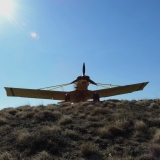
Lets try this Zane! Testing..............................Testing...............................In this picture I just landed up the mountain just behind the airplane, and parking on top of the Knoll. Its a cool picture when I can post it!

Last edited by
Mountainflier on Mon Jun 04, 2012 4:21 pm, edited 1 time in total.
-
Mountainflier offline
-
Posts:
86
- Joined: Thu Dec 08, 2011 7:11 pm
- Location: Looking at the Wasatch Front Range
High five.

-
Zzz offline
-
Posts:
2855
- Joined: Fri Oct 08, 2004 11:09 pm
- Location: northern
- Aircraft: Swiveling desk chair
-
Half a century spent proving “it is better to be thought a fool than to open your mouth and remove all doubt.”
DISPLAY OPTIONS
Who is online
Users browsing this forum: No registered users and 0 guests