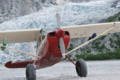
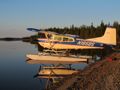
You're close. I am using that fancy Imageflow thing, so to get the proper URL for embedding, do this:
1. Click the thumbnail of the image you want to embed, a large version pops up.
2. Click the purple "Bb" icon, and highlight/copy/paste the URL from the top text area.
3. Paste it into your post.
It will look something like this:
- Code: Select all
[url=http://www.backcountrypilot.org/gallery/albums/userpics/12167/Over_the_AK_Range.JPG][IMG]http://www.backcountrypilot.org/gallery/albums/userpics/12167/normal_Over_the_AK_Range.JPG[/IMG][/url]
The URL tag surrounding the IMG tag will make it so that the photo is a link, and the large size will open when the medium size is clicked. You can recognize the medium/intermediate image size because the filename is prefixed by "normal_" if it has been downsized by the gallery.
That code results in this:

There IS a bug in the software, where if your image was not large enough to have a medium size regenerated, then no "normal_" version exists, and you will get the error "The dimensions of your image could not be determined" which is the forum's way of saying it can't find that URL.



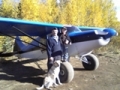


 ), and the little J-3 cub was doing her best to make 400'-500' AGL by the time we got all the way around and abeam the numbers, but it was probably the best day I have ever had flying. The taxi work still frustrates me as I think I am jabbing the brakes alot more than I should have to (must be nosewheel disease), but there is a real sense of accomplishment starting the day as a train wreck and finishing out making some "acceptable" landings by the end of the day. Definitely not greasers, but my fillings are still intact.